After-Hours Answering Services for Medical Practices: Options, Costs, Scripts, and a 7‑Day Setup Plan
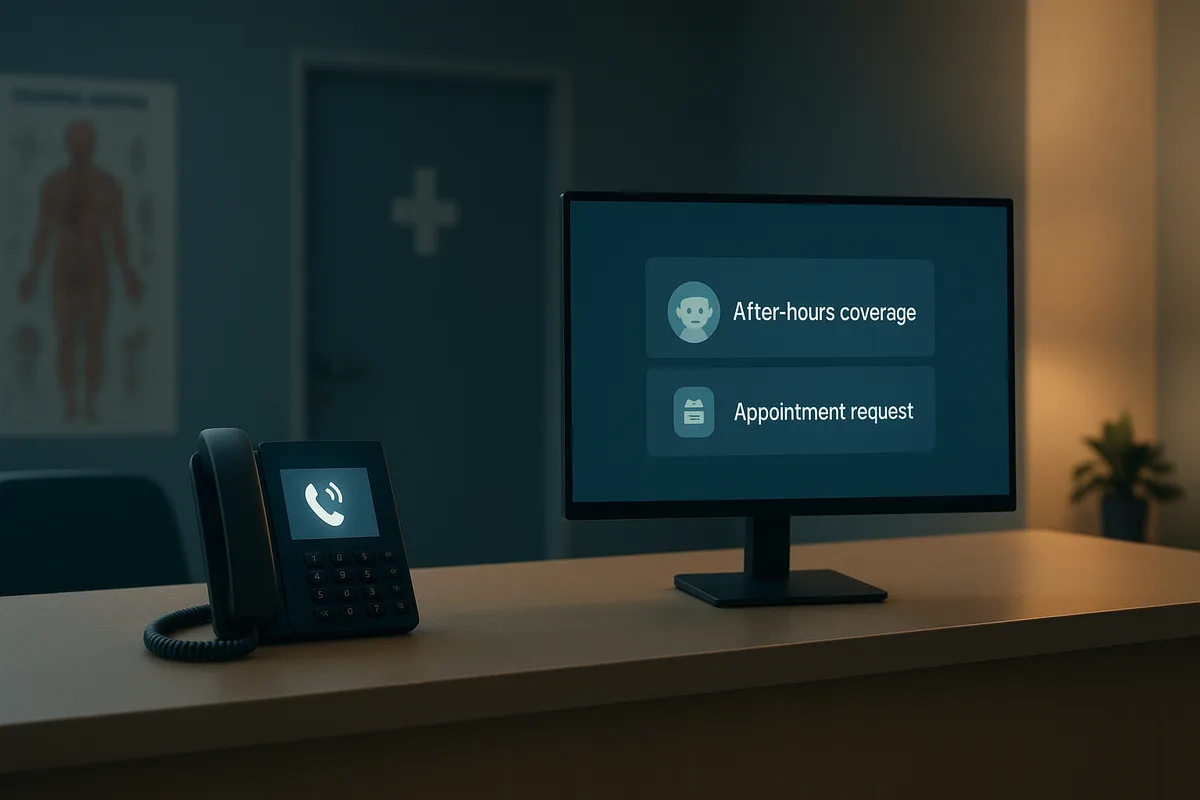
Most medical practices don’t lose patients because of clinical care—they lose them in the gap between “we’re closed” and “I need help now.” After-hours calls are where anxiety is highest, expectations are unforgiving, and the risk of missed revenue or safety issues spikes. A solid after-hours answering service for medical offices isn’t just a convenience—it’s operational risk management, which is also discussed in detail in ${anchorText}.
[Image placeholder: Hero] Caption: After-hours coverage protects patients, staff, and revenue—without burning out your team.
1) Why after-hours calls matter (and where practices fail)
After-hours calls typically fall into five buckets: urgent symptoms, medication questions/refills, appointment requests, billing/insurance questions, and “I’m not sure—tell me what to do.” When callers can’t reach a human or clear instructions, they often:
- Go to the ED/urgent care unnecessarily (raising cost and lowering patient satisfaction)
- Leave a vague voicemail that’s hard to triage
- Hang up and book elsewhere (especially for high-intent new patients)
- Call repeatedly, creating a Monday morning call surge
- Escalate to online reviews when they feel ignored
Common failure modes to watch for
- The “dead-end voicemail”: generic greeting, no routing, no callback expectations.
- Uncontrolled call forwarding: calls bounce to personal phones with no documentation.
- On-call roulette: outdated schedules, wrong numbers, no backup.
- No urgency definitions: staff and patients interpret “urgent” differently.
- HIPAA slip-ups: detailed PHI left on voicemail or sent via unsecure text.
If you want benchmarks for missed calls and practical fixes during business hours (which directly affects after-hours overflow), see How to Reduce Missed Calls in a Medical Practice (Benchmarks, Scripts, and Automation).
2) Options for medical answering service after hours (comparison)
There’s no one-size-fits-all. Your best fit depends on specialty, call volume, risk tolerance, and staffing.
[Image placeholder: Diagram] Caption: After-hours coverage options—from voicemail to AI receptionist—mapped by cost, speed, and clinical risk.
Option A: Voicemail with a strong message
Best for: very low call volume, low acuity specialties, practices with reliable next-day follow-up.
Pros
- Lowest cost
- Simple to implement
Cons
- High abandonment and dissatisfaction
- No real-time triage
- Risky if instructions are unclear
If you need a starting point, FrontDesk provides an After-Hours Voicemail Script (template).
Option B: Call forwarding to an on-call provider
Best for: small practices with strong clinician availability and low administrative after-hours needs.
Pros
- Real-time clinical access
- Familiarity with patient population
Cons
- Burnout risk
- No call logging unless manually documented
Option C: Traditional live answering service
Best for: practices that want a human answering every call and can train an external team.
Pros
- Live pickup reduces hang-ups
- Can capture messages consistently
Cons
- Quality varies by agent n- Limited integration depth (often “message taking”)
- Cost grows with minutes/calls
A helpful reference point is FrontDesk’s comparison: FrontDesk vs Traditional Answering Service.
Option D: Nurse triage line
Best for: higher-acuity specialties, pediatrics, practices with frequent symptom calls.
Pros
- Clinically trained triage
- Protocol-driven routing
Cons
- Higher cost
- Can feel impersonal if not aligned to your practice
- Still needs admin handling (appointments, refills, billing)
Option E: AI receptionist (FrontDesk)
Best for: practices that want consistent, documented after-hours handling with routing rules, reduced burden on staff, and high patient responsiveness.
FrontDesk can function as an after hours call answering service for healthcare by:
- Answering after-hours calls with a consistent script
- Classifying intent (urgent symptom vs refill vs appointment)
- Routing urgent calls to on-call staff based on your rules
- Capturing structured messages and call summaries
- Providing visibility into trends via Practice Analytics
If you’re evaluating specifically for medical offices, start here: Medical Offices Solutions. (Medical spas have different call patterns and compliance needs; see Medical Spas Solutions.)
For a focused overview of how FrontDesk supports after-hours coverage, visit After-Hours Answering.
3) After-hours answering service cost: models and what drives price
The phrase “after hours answering service cost” is tricky because vendors price differently—and the same practice can pay wildly different amounts depending on call patterns.
Common pricing models
-
Per-minute
- You pay for talk time (sometimes plus hold time).
- Good if volume is very low and predictable.
-
Per-call
- Flat rate per answered call.
- Works when calls are short and consistent.
-
Tiered bundles (minutes/calls included)
- You buy a package and pay overages.
- Watch for overage rates and rounding rules.
-
Flat monthly subscription
- Predictable spend.
- Ensure it includes the features you actually need (routing, reporting, integrations).
What drives cost (and surprises practices)
- Call volume after 5pm and weekends (and seasonal spikes)
- Average handle time (refills and “what do I do?” calls take longer)
- Transfers and escalations (especially if multiple attempts are required)
- Bilingual requirements
- Call recording and storage
- Integration needs (EHR/PM system, ticketing, secure messaging)
Quick planning tools
- Estimate coverage cost and staffing alternatives using FrontDesk calculators:
- After Hours Calculator
- Staffing Cost Calculator
- If you’re thinking about revenue impact (missed calls → lost bookings), use the Practice Growth Calculator
4) Compliance and HIPAA: call recording, voicemail, texting
After-hours workflows touch PHI constantly. Your setup should be designed to minimize disclosure while still being useful.
HIPAA considerations (practical checklist)
- Minimum necessary: Only collect what’s needed to route and respond.
- Identity checks: Confirm caller name + DOB (or another identifier) before discussing details.
- Voicemail safety: Don’t leave detailed clinical info unless the patient has consented.
- Texting: Avoid PHI over standard SMS unless you have an appropriate secure method and policy.
- Call recordings: If you record, ensure you have proper notices, retention policies, and access controls.
Suggested policy decisions to make upfront
- Will you allow staff to respond from personal phones?
- Are voicemails transcribed and emailed? (Email can be a compliance risk if unmanaged.)
- What is your retention period for recordings and messages?
Also ensure your team understands the platform terms and responsibilities. Reference: Terms of Service.
5) After-hours scripts you can use (and adapt)
Scripts reduce liability and improve patient experience. Your script should be short, calm, and explicit about next steps.
Script 1: After-hours greeting (general)
“Thank you for calling [Practice Name]. Our office is currently closed. If this is a medical emergency, please hang up and dial 911 or go to the nearest emergency room.
If you’re calling about urgent symptoms and need to speak with the on-call clinician, please say ‘urgent’. For prescription refill requests, say ‘refill’. To request or change an appointment, say ‘appointment’. You can also briefly tell me what you’re calling about, and I’ll help route your request.”
Script 2: Emergency disclaimer (short and clear)
“If you think you may be experiencing a medical emergency, call 911 now.”
Script 3: Urgent vs. non-urgent routing prompts
Urgent examples (route to on-call):
- Chest pain, shortness of breath, uncontrolled bleeding
- Severe allergic reaction symptoms
- Post-op complications per your protocol
Non-urgent examples (message for next business day):
- Routine appointment scheduling
- Medical records requests
- Billing/insurance questions
Prompt:
“To help me route this correctly: are you experiencing severe symptoms right now, or is this something that can wait until the next business day?”
Script 4: Refill requests (set expectations)
“I can take your refill request. Please share your full name, date of birth, the medication name and dose, your pharmacy name and phone number, and how many days you have left.
If this is a controlled medication or a new prescription request, it may require a visit. If you are out of medication and this is urgent, say ‘urgent’ and I will route you to the on-call clinician.”
Script 5: Appointment requests (capture what matters)
“I can help with an appointment request. Are you a new or existing patient? What is the best callback number? What days/times work for you, and what is the reason for the visit?”
For practices that want broader phone scripting (new patients, insurance), you can adapt these templates:
6) Escalation matrix + on-call schedule hygiene
A great after-hours experience depends on who gets called, when, and how often.
Build a simple escalation matrix
Define:
- Tier 1: AI receptionist or answering agent (collects info, applies rules)
- Tier 2: On-call clinician (urgent symptom calls)
- Tier 3: Backup clinician (if Tier 2 unreachable)
- Tier 4: Practice manager/administrator (facility issues, high-risk complaints)
Include rules for:
- Maximum attempts (e.g., 2 calls + 1 text/pager)
- Time between attempts (e.g., 5 minutes)
- When to instruct patient to seek emergency care
On-call schedule hygiene (the unsexy part that prevents disasters)
- Centralize the schedule in one place (not a group text thread)
- Require weekly verification (Monday morning “on-call audit”)
- Maintain primary + backup with current numbers
- Document coverage gaps (holidays, conferences)
- Keep specialty-specific routing (OB, pediatrics, post-op) explicit
With FrontDesk, practices often pair consistent routing rules with reporting to see when escalations happen and where delays occur via Practice Analytics.
7) After-Hours Coverage Scorecard (fill this out)
Use this quick scorecard to identify gaps. Score each 0–2.
[Image placeholder: Scorecard/Checklist] Caption: Print this scorecard and review it quarterly with your manager and on-call lead.
Coverage Scorecard (0 = no, 1 = partial, 2 = yes)
- Clear emergency disclaimer is always played first (0/1/2)
- Urgent vs non-urgent definition is documented and trained (0/1/2)
- Calls are answered live or by AI with real routing (0/1/2)
- On-call schedule is centralized and updated weekly (0/1/2)
- Backup escalation exists if primary is unreachable (0/1/2)
- Refill workflow captures pharmacy + dose + days remaining (0/1/2)
- Appointment requests are captured with reason + preferred times (0/1/2)
- Messages are structured (not free-text only) (0/1/2)
- Documentation is accessible to the team next day (0/1/2)
- HIPAA safeguards for voicemail/text/email are in place (0/1/2)
Scoring:
- 0–8: High risk (patients and staff will feel it)
- 9–14: Functional but fragile
- 15–20: Strong coverage with predictable outcomes
Simple ROI calculator formula (use your own numbers)
You can estimate financial impact with a back-of-the-napkin model:
Monthly ROI estimate = (Recovered appointments × Contribution margin per visit) − (After-hours service monthly cost)
Where:
- Recovered appointments = (After-hours missed calls × Booking conversion rate)
- After-hours missed calls = (After-hours call volume × % currently not handled well)
If you want a faster version with assumptions built in, use FrontDesk’s After Hours Calculator and sanity-check staffing alternatives with the Staffing Cost Calculator.
8) A practical 7-day setup plan (no drama, no downtime)
Here’s a realistic one-week implementation plan for a medical answering service after hours—whether you choose a live service, nurse triage, or an AI receptionist.
Day 1: Map your call types and risks
- Pull 2–4 weeks of call logs (or estimate)
- Categorize: urgent symptoms, refills, appointments, billing, other
- Identify top 10 “after-hours reasons”
Day 2: Define routing rules and your escalation matrix
- Decide what is urgent for your specialty
- Set primary/backup on-call roles
- Establish response time targets (e.g., urgent callback within 15 minutes)
Day 3: Write scripts and message templates
- Finalize greeting + emergency disclaimer
- Create refill and appointment capture prompts
- Decide what can be left on voicemail
Tip: Start from the After-Hours Voicemail Script (template) and customize.
Day 4: Lock down compliance decisions
- Decide on call recording policy and retention
- Decide how messages are delivered (secure portal vs email)
- Train staff on minimum necessary PHI
Day 5: Configure the phone tree and test end-to-end
- Test from multiple phones
- Test each path: urgent, refill, appointment
- Confirm correct on-call numbers and backup escalation
Day 6: Train staff and set expectations
- Provide a one-page SOP for:
- What gets routed after hours
- How to document follow-up
- How to close the loop next day
- Remind clinicians what info they’ll receive and how quickly
Day 7: Go live + monitor closely
- Assign an owner (office manager) for the first week
- Review every after-hours interaction daily for 7 days
- Adjust scripts and routing based on real calls
If you want to see how structured after-hours handling can work in a real service business, review the case study Pawsitive Vet After Hours. (The operational principles—triage, routing, documentation—translate well to many medical settings.)
9) Choosing the right approach for your practice
Use this quick decision guide:
- Choose voicemail if: call volume is tiny and clinical risk is low.
- Choose call forwarding if: you have dependable on-call coverage and want direct clinician contact.
- Choose a live answering service if: you want live pickup but can accept variability and per-minute pricing.
- Choose nurse triage if: symptom calls are frequent and high acuity.
- Choose an AI receptionist if: you want consistent handling, structured capture, smart routing, and measurable performance.
FrontDesk is designed for service-based healthcare teams that want fewer missed calls and better patient experience—especially after hours. Learn more about FrontDesk’s approach to after-hours coverage here: After-Hours Answering and how it compares to legacy options in FrontDesk vs Traditional Answering Service.