Navigating HIPAA Compliance with AI Receptionists in Healthcare

Patients don’t call with “HIPAA” in mind—they call because they’re anxious, in pain, or trying to fit care into a busy day. For practice owners and office managers, that urgency collides with a hard reality: every phone call, voicemail, text, and appointment reminder can involve protected health information (PHI). As AI receptionists become a practical way to reduce hold times and missed calls, the big question becomes how to adopt them without compromising HIPAA compliance or running afoul of healthcare regulations.
This guide explains what HIPAA requires, where AI can introduce risk, and how to evaluate and operate AI receptionists in a way that’s defensible, auditable, and patient-friendly.
HIPAA basics (and why phone workflows are high-risk)
HIPAA’s Privacy Rule and Security Rule apply to covered entities (most healthcare practices) and their business associates (vendors that create, receive, maintain, or transmit PHI on your behalf). Phone workflows are uniquely tricky because they often mix:
- Identity verification
- Scheduling and rescheduling
- Clinical context (“I’m calling about my anxiety meds”)
- Insurance details
- Follow-up instructions and reminders
Even seemingly harmless details—like confirming an appointment time for a specialist—can become PHI when tied to an identifiable person.
If you need a refresher on what HIPAA expects from modern communication tools, FrontDesk’s overview is a good starting point: HIPAA-compliant texting solutions.
Where AI receptionists fit—and what changes from a compliance perspective
An AI receptionist can answer calls, route patients, capture intake details, and book appointments—often 24/7. That changes compliance in two important ways:
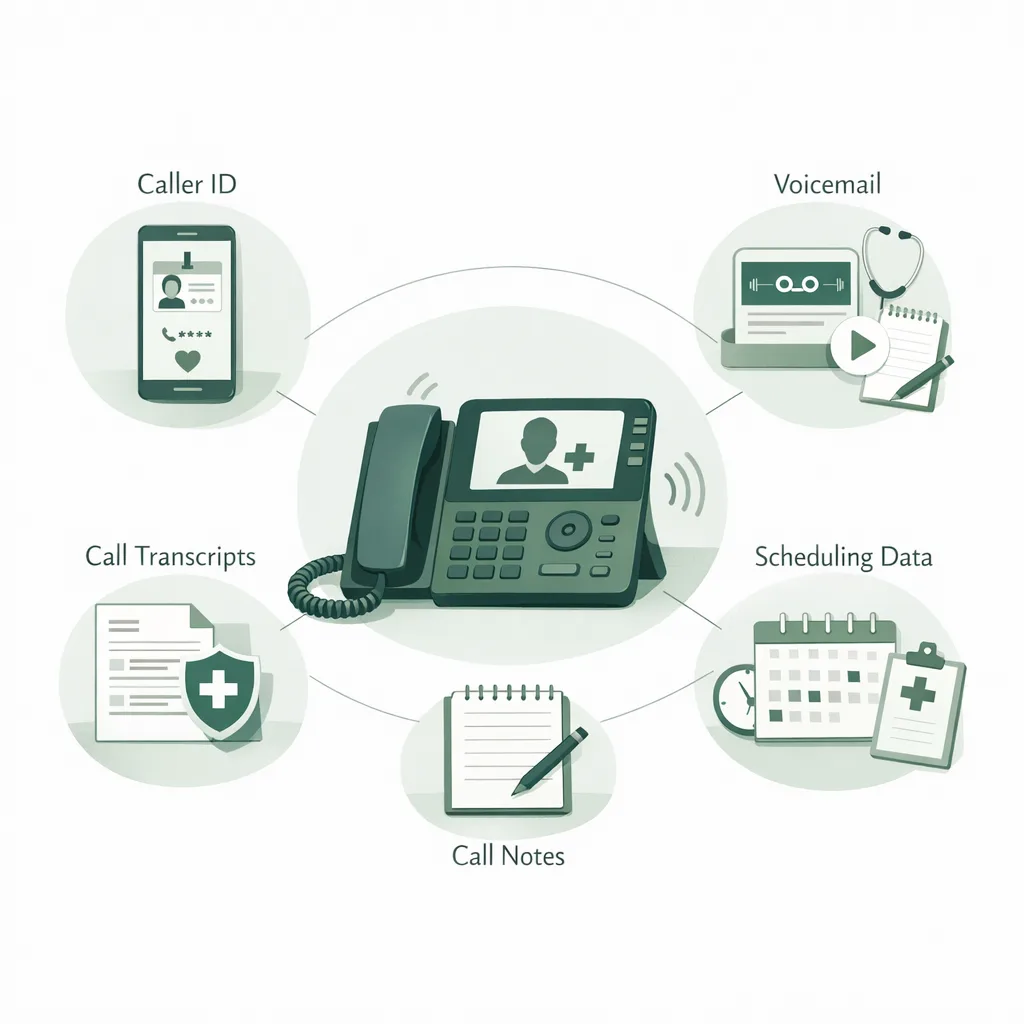
- Data is more likely to be stored and searchable (e.g., transcripts, call summaries, structured fields).
- More systems are involved (telephony, AI model layer, EHR/PM system, messaging, analytics).
Neither is inherently non-compliant. But it means you must treat the AI receptionist like any other PHI-touching system: define permissible use, control access, document safeguards, and ensure your vendor will sign a Business Associate Agreement (BAA) when appropriate.
If you’re evaluating whether to use AI at all—or how it compares to traditional staffing—see Receptionist vs AI for a practical breakdown.
Core HIPAA requirements to map to an AI receptionist
HIPAA doesn’t certify products. It requires reasonable and appropriate safeguards based on risk. When you evaluate AI receptionists, map them to these categories.
1) Privacy Rule: minimum necessary and proper disclosures
Your receptionist—human or AI—should collect and disclose only what’s needed to complete the task.
Practical steps:
- Configure call flows to ask only for what’s needed to schedule or route.
- Use role-based prompts (e.g., billing vs scheduling vs clinical triage).
- Avoid capturing diagnosis details unless necessary; offer a neutral option like “brief reason for visit” with guardrails.
2) Security Rule: administrative, physical, and technical safeguards
For AI receptionists, “physical safeguards” are largely the vendor’s responsibility (data centers, device controls). Your focus is on administrative and technical controls.
Key safeguards to verify:
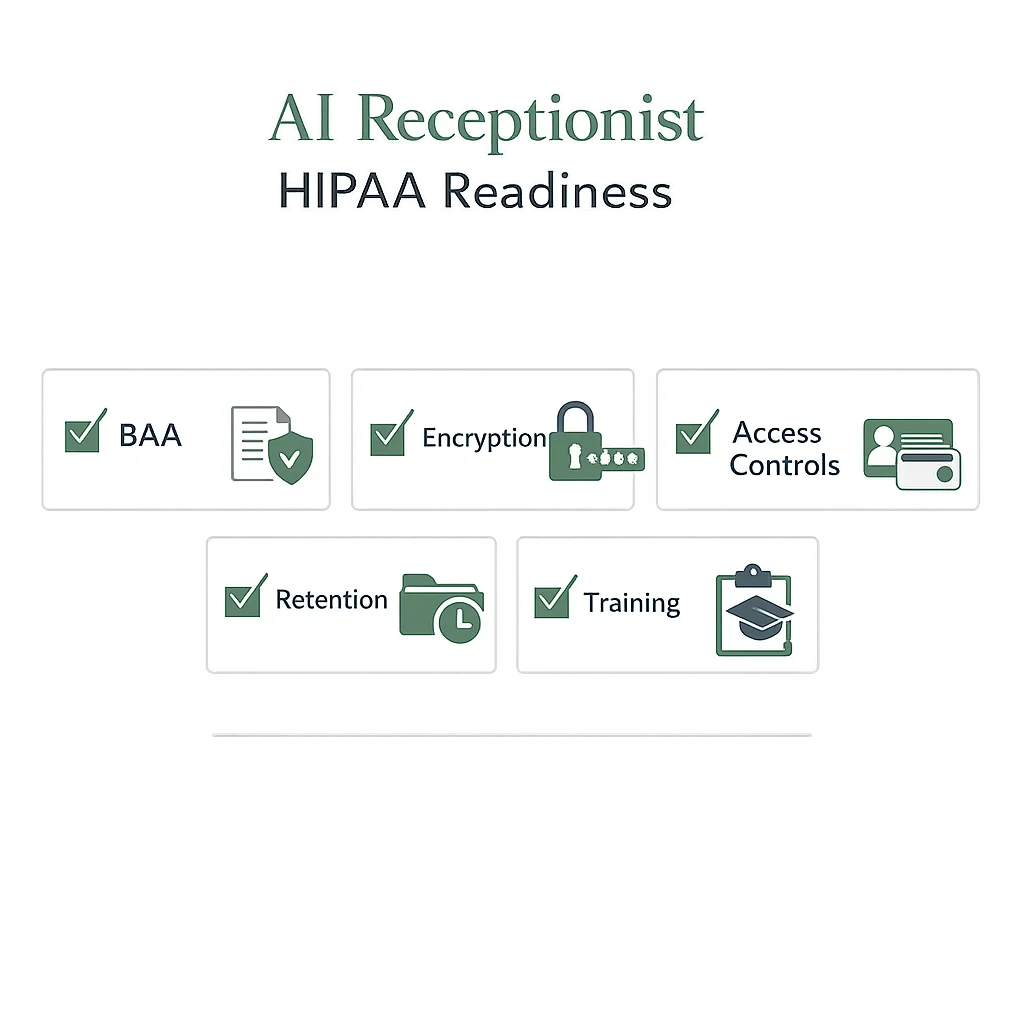
- Access controls (role-based access, least privilege)
- Audit controls (logs of access, changes, exports)
- Transmission security (encryption in transit)
- Integrity controls (tamper resistance, change tracking)
- Data retention and deletion policies
3) Business Associate requirements (BAA)
If the AI receptionist vendor handles PHI, you typically need a BAA. A BAA should clearly define:
- Permitted uses/disclosures of PHI
- Safeguards and breach notification timelines
- Subcontractor obligations (downstream BAAs)
- Return/destroy PHI upon termination
A practical risk map: where AI receptionist PHI can leak
The fastest way to operationalize compliance is to identify PHI “touch points” and put controls around each.
| Touch point | What PHI might appear | Common risk | Practical safeguard |
|---|---|---|---|
| Call audio & voicemail | Names, DOB, symptoms, meds | Unencrypted storage, broad access | Encrypt at rest; restrict access; retention limits |
| Transcripts & summaries | Same as audio + structured fields | Over-collection; searchable PHI | Minimum-necessary prompts; redaction rules |
| SMS/Email confirmations | Appointment details, provider name | Sending to wrong number/email | Verification step; opt-in; message templates |
| Integrations (EHR/PM) | Demographics, appointment history | Misconfigured permissions | Scoped API access; integration audit logs |
| Staff dashboards | Patient details, call notes | Shared logins; no audit trail | SSO/MFA; role-based access; logging |
A helpful way to sanity-check your current setup is to run a structured review before go-live. FrontDesk provides a simple tool you can use with your team: HIPAA Compliance Checker.
What to ask an AI receptionist vendor (with compliance in mind)
When you’re comparing platforms, ask questions that produce documentation—not just assurances.
Vendor due diligence checklist
- Will you sign a BAA? If yes, request a copy for legal review.
- How is PHI encrypted in transit and at rest?
- What access controls exist (MFA, RBAC, SSO, IP restrictions)?
- Do you provide audit logs for access and configuration changes?
- What is your data retention policy for recordings, transcripts, and metadata?
- How do you handle breach notification and incident response?
- Where is data stored (regions, subprocessors), and how are subprocessors managed?
- Can we control what the AI collects (prompting, required fields, redaction)?
For day-to-day operations, a simple internal checklist helps ensure your front office stays consistent across channels. Consider using FrontDesk’s HIPAA Communication Checklist as a starting point.
Designing compliant call flows: minimum necessary by default
The safest AI receptionist is one that’s designed to do the job with the least sensitive data possible.
Recommended call flow patterns
- Scheduling-first routing: capture name + callback number + preferred times before asking for visit reason.
- Two-step identity verification: confirm at least two identifiers (e.g., DOB + phone) before discussing details.
- Sensitive-topic branching: if a patient mentions mental health, substance use, or other sensitive issues, route to a trained staff member or use more conservative prompts.
- Emergency guardrails: if symptoms suggest an emergency, provide immediate direction (e.g., call 911) and avoid extended data capture.
Scripts that reduce risk (examples)
Use neutral, task-based phrasing:
- “What’s the best number to reach you if we get disconnected?”
- “Are you an existing patient or a new patient?”
- “What type of appointment do you need: annual physical, follow-up, sick visit, or something else?”
Avoid:
- “Tell me your diagnosis.”
- “Describe your mental health history in detail.”
Training and governance: HIPAA is a people process
Even with strong technology, compliance fails when teams improvise.
Operational best practices:
- Define roles: who can listen to recordings? who can export transcripts?
- Standardize workflows: when does the AI book vs route to staff?
- Create escalation paths: clinical questions, angry callers, minors, sensitive topics.
- Run quarterly access reviews: remove former staff, validate permissions.
- Document decisions: keep a record of your risk analysis and mitigations.
If your practice serves behavioral health, the intake phone experience is often the first trust-building moment. FrontDesk’s Mental Health Solutions page highlights common workflows where consistency and privacy matter.
Special considerations by practice type
Different specialties have different risk profiles and call patterns.
Mental health
Mental health calls often include highly sensitive disclosures early in the conversation.
Actionable tips:
- Keep the AI’s first step focused on scheduling and safety, not clinical history.
- Offer a “request a private callback” option.
- Use conservative message content in reminders.
Helpful resources:
Primary care
Primary care phone volume is high and varied—refills, lab questions, same-day visits.
Actionable tips:
- Use structured appointment types to prevent over-collection.
- Route clinical questions to staff instead of capturing long narratives.
Resource: Primary Care Phone Volume
Explore FrontDesk workflows built for clinics: Primary Care Solutions.
Urgent care
Urgent care callers often ask “Should I come in?” which can drift into triage.
Actionable tips:
- Provide location/hours/wait-time info without collecting PHI.
- For symptom questions, use a clear escalation to a clinician or standardized guidance.
See: Urgent Care Solutions.
Measuring compliance in practice: what to monitor after go-live
Compliance isn’t a one-time setup; it’s ongoing monitoring.
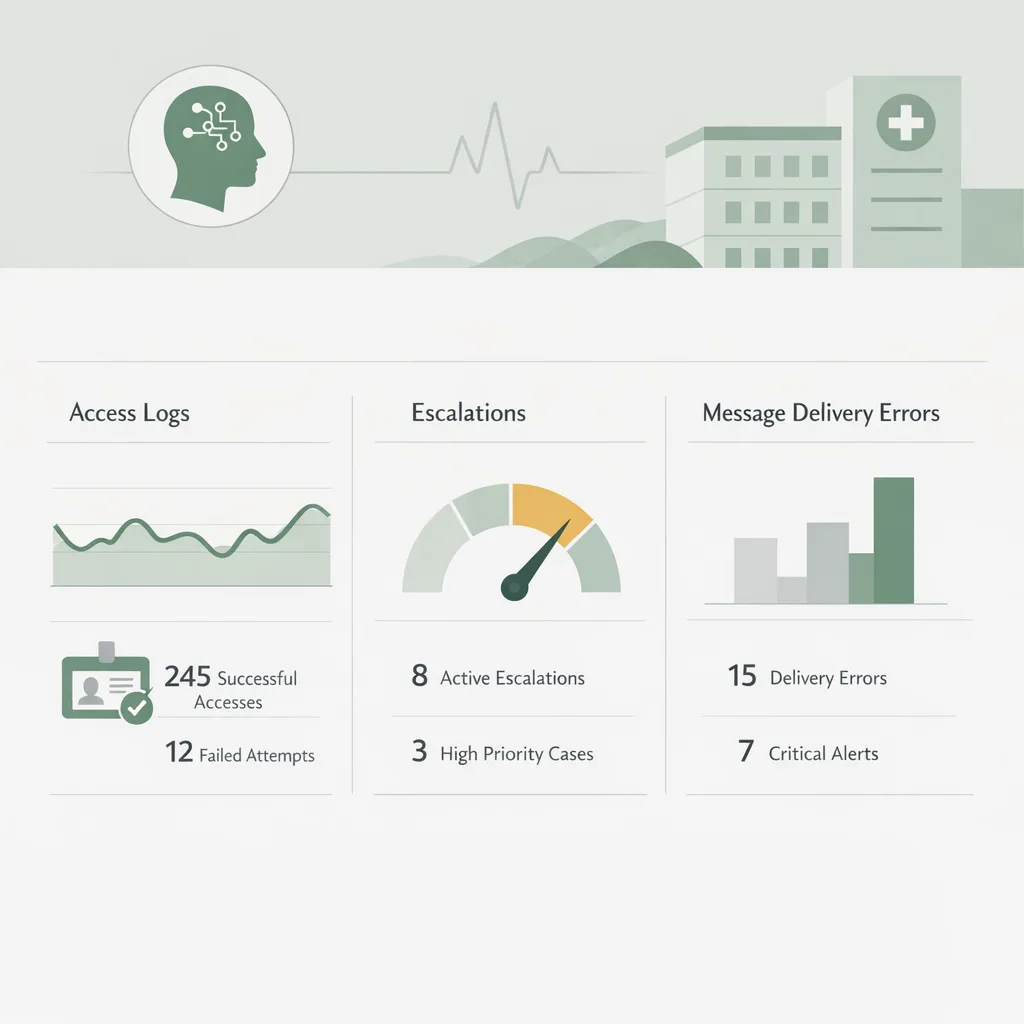
Track these metrics monthly:
- % of calls resolved without collecting sensitive details
- Number of transcript/recording views and exports (and by whom)
- Misrouted calls (wrong department, wrong patient record)
- Wrong-number/wrong-recipient messages
- Average time to human escalation for sensitive calls
Also run periodic QA:
- Review a random sample of calls for “minimum necessary” adherence.
- Validate that identity verification steps are consistently applied.
How FrontDesk approaches HIPAA-aligned AI reception
FrontDesk is designed for healthcare communication workflows where privacy and operational reliability are non-negotiable. With the AI Receptionist, practices can automate call handling and scheduling while maintaining control over what is collected, how calls are routed, and how staff access information.
If you’re comparing options, these side-by-side pages can help structure your evaluation:
And if you want to see real-world outcomes from teams managing high call volume and intake complexity:
Implementation checklist: a defensible path to HIPAA compliance
Use this phased approach to reduce risk and avoid surprises.
Phase 1: Pre-launch (1–2 weeks)
- Complete a risk assessment for phone + messaging workflows.
- Execute BAA (as applicable) and document vendor subprocessors.
- Configure call flows for minimum necessary collection.
- Set retention rules for recordings/transcripts.
- Restrict staff access (RBAC) and enable MFA/SSO where possible.
Phase 2: Controlled rollout (first 2–4 weeks)
- Start with lower-risk use cases (hours, directions, basic scheduling).
- Monitor escalations and misroutes daily.
- Review a small sample of transcripts/calls for over-collection.
- Train staff on new workflows and “what not to ask.”
Phase 3: Ongoing operations (monthly/quarterly)
- Run access audits and remove stale accounts.
- Update scripts for new services and seasonal surges.
- Reassess risk when adding integrations or new channels.
Frequently Asked Questions
Do AI receptionists automatically violate HIPAA compliance?
No. HIPAA doesn’t ban AI; it requires appropriate safeguards for PHI. If the AI receptionist is configured for minimum necessary collection, secured with strong access controls, and covered by a BAA when needed, it can support HIPAA compliance.
Does every AI receptionist vendor need to sign a BAA?
If the vendor creates, receives, maintains, or transmits PHI on your behalf, you typically need a BAA. If the AI only provides general information without collecting identifiable health details, the need may differ—but most scheduling and intake workflows involve PHI.
Are call recordings and transcripts considered PHI?
They can be. If a recording or transcript includes identifiers (name, phone number, DOB) linked to health-related information (appointments, symptoms, providers), it’s PHI and must be protected under HIPAA’s Security Rule safeguards.
Can we use AI to triage symptoms for urgent care?
Be cautious. Symptom triage can quickly become clinical decision-making and increases risk. A safer approach is to provide general guidance and route symptom-heavy calls to a clinician or trained staff, documenting escalation rules.
What’s the biggest operational mistake practices make with AI receptionists?
Over-collection and uncontrolled access. Practices often let the AI ask open-ended questions that capture unnecessary sensitive details, or they allow too many staff members to view recordings/transcripts without clear role-based limits and audit review.
Conclusion: compliance and convenience can coexist
AI receptionists can reduce hold times, capture more calls, and improve scheduling—without sacrificing privacy—when you treat them like any other PHI-handling system. Focus on minimum necessary data collection, strong access controls, documented vendor commitments, and ongoing monitoring aligned with healthcare regulations.
If you’re considering an AI receptionist and want a healthcare-first approach, explore FrontDesk’s AI Receptionist and use the HIPAA Compliance Checker to pressure-test your setup before you roll it out.