Enhancing Patient Experience with AI: 5 Strategies for Healthcare Practices

Patients don’t judge your practice only by clinical outcomes—they judge it by every interaction: how quickly someone answers, how easy it is to schedule, whether reminders are clear, and whether follow-up feels personal. For many practices, the biggest patient experience gaps aren’t medical—they’re operational, which can be addressed by ${anchorText} strategies that enhance visibility and trust. That’s where AI in healthcare can help: not by replacing your team, but by removing friction, reducing wait times, and making communication consistent.
In this article, you’ll find five practical healthcare strategies to improve patient experience using AI—especially in the front office—along with implementation tips, metrics to track, and examples that work for primary care, urgent care, and mental health.
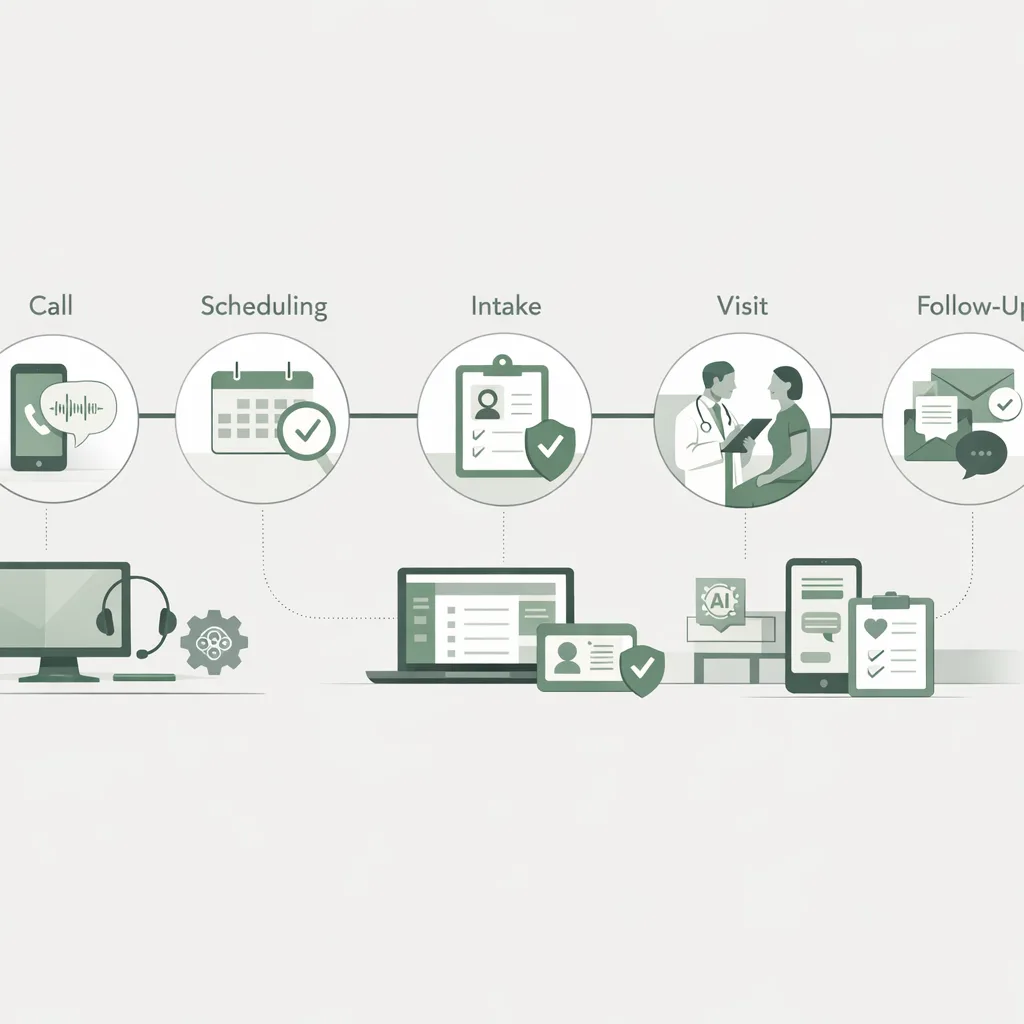
Why AI is becoming a patient experience essential
Healthcare consumers increasingly expect the same convenience they get from retail and banking. Missed calls, long hold times, and confusing intake forms are common reasons patients switch providers.
A few widely cited trends underscore the shift:
- Patient satisfaction is strongly tied to access: speed of response, appointment availability, and clarity of next steps.
- Administrative burden is a major driver of staff burnout, contributing to inconsistent service.
- Digital-first communication (texting, self-scheduling, automated reminders) is now a baseline expectation for many demographics.
AI helps practices deliver consistent service at scale—especially during peak call times, after hours, and when staffing is tight.
Strategy 1: Use AI to answer every call and route patients correctly
When calls go unanswered, patient experience suffers immediately. AI reception can help ensure every caller is greeted, understood, and guided—without forcing your team to choose between the phone and the front desk.
What to implement
Prioritize AI workflows that:
- Answer calls 24/7 (including lunch breaks and after-hours)
- Identify intent (new patient, existing patient, billing question, refill request, urgent symptom concern)
- Route to the right destination (schedule, intake, voicemail, escalation)
- Capture structured data (reason for visit, preferred times, insurance, contact info)
FrontDesk’s AI receptionist is designed for these scenarios and pairs well with a structured intake flow like the New Patient Intake use case.
Practical steps for office managers
- Map your top 10 call reasons from the last 2–4 weeks.
- For each reason, define:
- What information must be collected?
- What is the ideal next step?
- When should a human take over?
- Create escalation rules (e.g., chest pain, suicidal ideation, severe shortness of breath) and ensure callers are directed to emergency services where appropriate.
Metrics to track
- Missed call rate
- Average time to answer
- Abandonment rate
- % of calls resolved without staff intervention
- Appointment conversion rate from new patient calls
For scripts and conversion best practices, the guide New Patient Calls That Convert is a strong starting point.
Strategy 2: Automate scheduling, confirmations, and reminders to reduce no-shows
No-shows are an experience problem as much as a revenue problem. Patients miss appointments for predictable reasons: they forget, they’re unsure of instructions, or rescheduling is too hard.
AI-driven outreach can make scheduling and reminders feel effortless and human—without adding workload.
What to implement
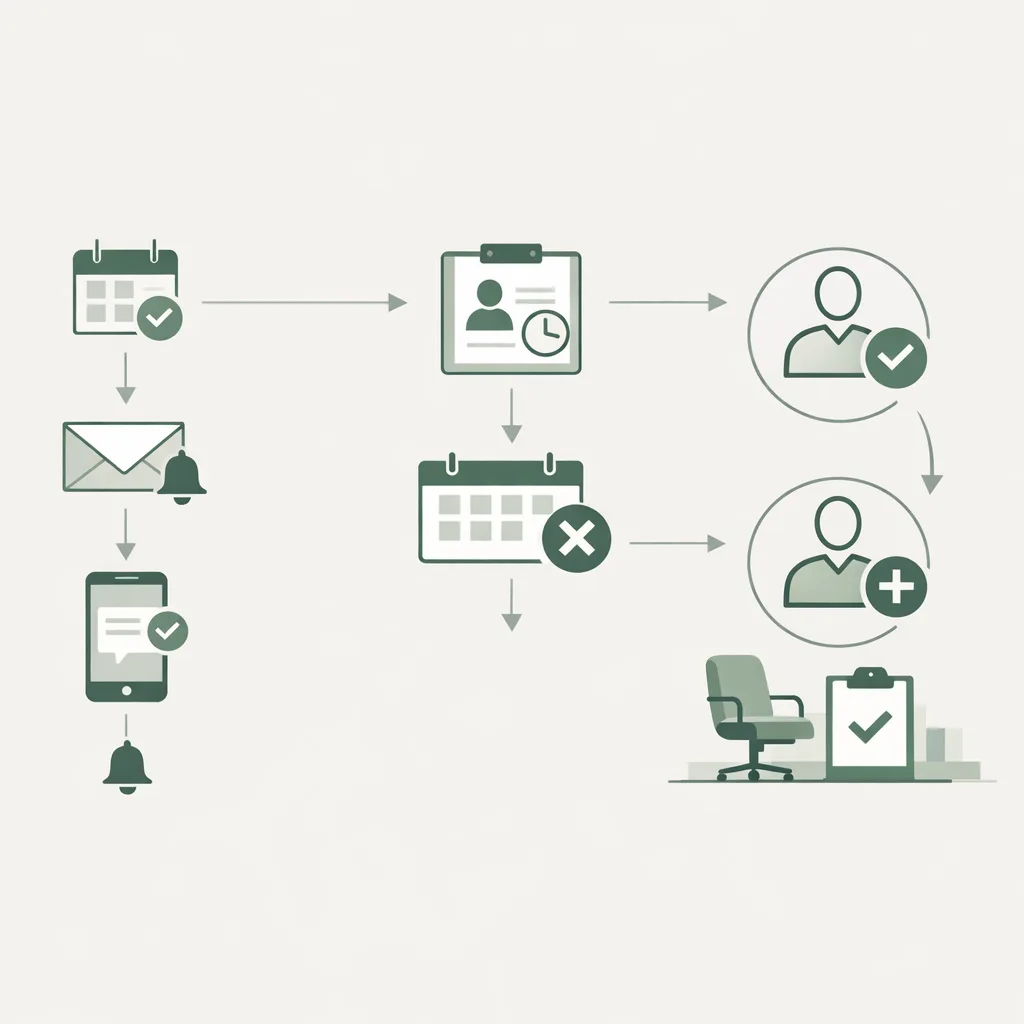
Use automated workflows that:
- Offer appointment booking options immediately after a call or web inquiry
- Send confirmation messages with clear location and prep instructions
- Provide easy “reschedule” and “cancel” pathways
- Trigger targeted reminders (e.g., 72 hours + 24 hours + morning-of)
FrontDesk’s Patient Outreach supports proactive communication so patients know what to do next—without your team manually chasing confirmations.
A simple reminder framework (that patients actually appreciate)
- Confirmation (same day): “You’re scheduled for Tuesday at 2:00 PM. Reply YES to confirm.”
- Prep reminder (48–72 hours): parking, forms, fasting, telehealth link, copay note.
- Day-of reminder: “Reply R to reschedule.” (Make it easy.)
Metrics to track
- No-show rate by provider and appointment type
- Reschedule completion rate
- Time-to-fill cancellations
If you want to quantify the downstream impact of better retention and fewer no-shows, try the Patient Lifetime Value Calculator.
Strategy 3: Streamline intake with AI to reduce anxiety and speed up check-in
Intake is a common friction point: long forms, repeated questions, and unclear expectations. AI can help patients complete the right steps before they arrive—especially for high-sensitivity specialties.
What to implement
Focus on two improvements:
- Pre-visit intake collection (demographics, reason for visit, symptoms, insurance)
- Expectation setting (what happens next, what to bring, how long it takes)
This matters across specialties, but it’s especially impactful in behavioral health. If your practice serves therapy, psychiatry, or counseling, explore FrontDesk’s Mental Health Solutions and the guide Mental Health Intake Calls.
Intake best practices that improve patient experience
- Use plain language (“What brings you in today?” instead of “chief complaint”).
- Ask only what you need for the first visit; defer the rest.
- Confirm next steps at the end (appointment time, forms status, how to reach you).
Proof point: reducing intake friction
A real-world example is the case study Clarity Mental Health Intake, which highlights how improving intake handling can reduce delays and improve responsiveness—two key drivers of patient satisfaction.
Metrics to track
- Intake completion rate before arrival
- Average check-in time
- Patient complaints related to forms/waiting
Strategy 4: Create a “single source of truth” with an AI-ready patient CRM
Patients get frustrated when they have to repeat themselves. Teams get frustrated when information is scattered across sticky notes, inboxes, spreadsheets, and EHR tasks.
A patient communication hub (CRM) helps your team deliver consistent, personalized service—especially when multiple staff members touch the same patient journey.
What to implement
Look for a CRM approach that can:
- Log every interaction (calls, texts, emails, outcomes)
- Track patient status (new lead → scheduled → intake complete → seen → follow-up)
- Assign tasks and ownership (who’s responsible for next step)
- Support templates that still feel personal (visit-type specific)
FrontDesk’s Patient CRM is built around patient journeys and follow-through—so no one falls through the cracks.
Where this improves patient experience immediately
- Faster answers (“I see you called yesterday—here’s where we left off.”)
- Cleaner handoffs between staff
- Fewer duplicate requests for the same info
- More consistent follow-up after missed calls or abandoned scheduling
A quick comparison: manual vs AI-enabled front office
| Front office task | Manual process outcome | AI-enabled process outcome | Patient experience impact |
|---|---|---|---|
| Answering peak-time calls | Long holds, missed calls | Always answered, routed | Less frustration, higher trust |
| Scheduling changes | Phone tag | Self-serve reschedule flow | More control, fewer no-shows |
| Intake collection | Forms at arrival | Pre-visit digital intake | Shorter waits, less anxiety |
| Follow-up reminders | Inconsistent | Automated + personalized | Fewer missed steps |
| Staff handoffs | “Start over” conversations | Shared context in CRM | Patients feel remembered |
Strategy 5: Use analytics to find (and fix) experience bottlenecks
You can’t improve what you don’t measure. Many practices track volume (calls, visits) but not the operational signals that predict patient experience issues.
What to implement
Set up reporting that connects front-office activity to outcomes:
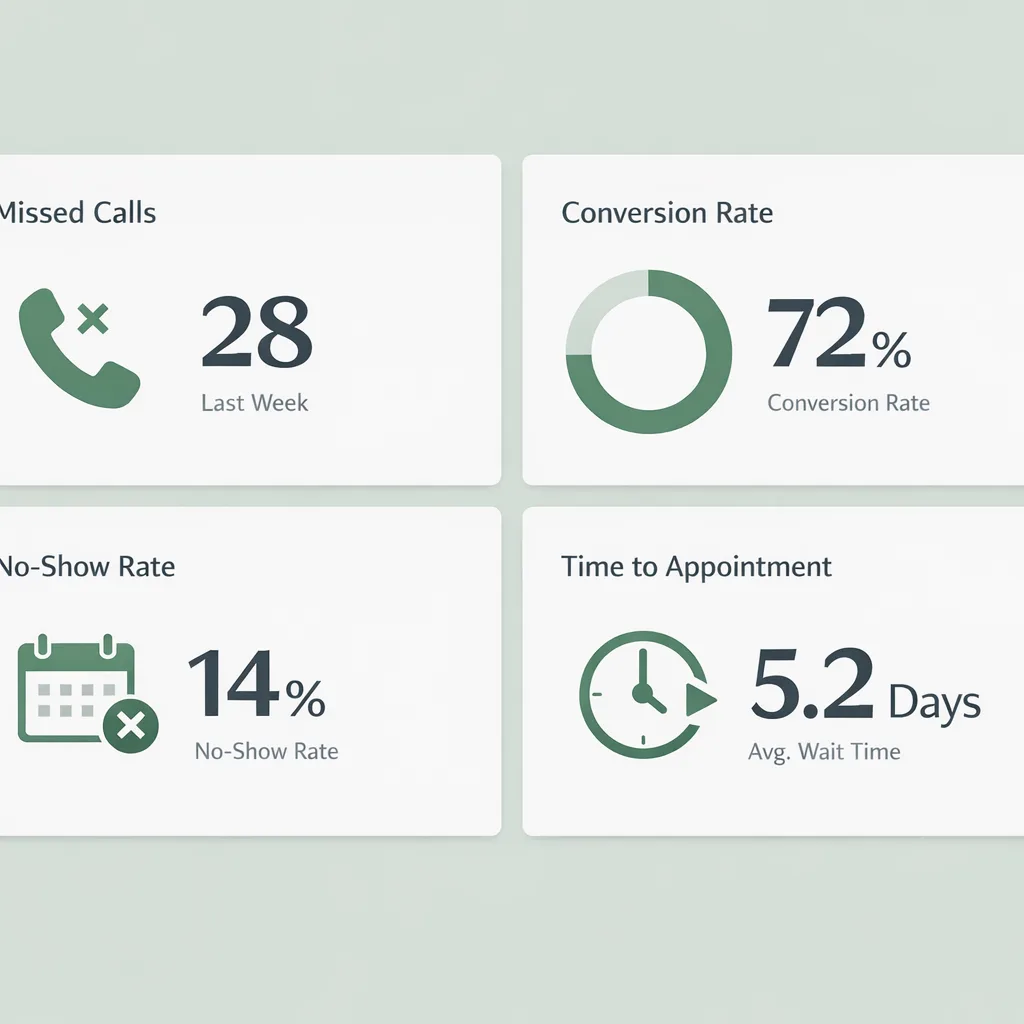
- Call volume by hour/day (to staff appropriately)
- Missed call trends (and reasons)
- New patient conversion rate
- No-show rate by visit type
- Time from inquiry → scheduled appointment
FrontDesk’s Practice Analytics helps practices identify where patients drop off and which workflows are driving better outcomes.
Turn data into action: a simple monthly cadence
- Week 1: Review top 3 bottlenecks (e.g., Monday morning calls, after-hours inquiries).
- Week 2: Adjust workflows (routing, scripts, outreach timing).
- Week 3: Train staff on one change.
- Week 4: Compare metrics to baseline.
To estimate the financial upside of reducing leakage, use the Practice Growth Calculator.
Real-world example: managing high call volume
If call volume is your primary pain point, the case study FamilyFirst Primary Care Call Volume shows how practices can reduce missed opportunities and improve responsiveness.
How these strategies apply across practice types
AI isn’t one-size-fits-all; the best workflows depend on your specialty and patient needs.
- Primary care: Focus on call routing, scheduling speed, and preventive care reminders. Explore Primary Care Solutions.
- Urgent care: Prioritize fast triage, directions/hours info, and peak-time call handling. Explore Urgent Care Solutions.
- Mental health: Emphasize compassionate intake, privacy, and rapid response for high-intent inquiries. Explore Mental Health Solutions.
If you’re comparing platforms for patient access and communication, the page FrontDesk vs Luma Health can help clarify differences in approach.
Implementation checklist: 30-day rollout plan
Use this plan to improve patient experience without overwhelming your team.
- Days 1–7: Assess & baseline
- Track missed calls, no-shows, and time-to-schedule
- Run a quick patient feedback pulse using the Patient Satisfaction Survey
- Days 8–14: Fix access first
- Deploy AI call answering + routing for top call reasons
- Add after-hours coverage rules
- Days 15–21: Automate reminders & follow-up
- Launch confirmation + reminder sequences
- Add easy rescheduling
- Days 22–30: Centralize workflows
- Implement CRM statuses and handoff rules
- Review analytics and refine scripts
Frequently Asked Questions
Will AI hurt the “human” feel of our patient experience?
Not if it’s implemented thoughtfully. AI handles repetitive steps (answering, routing, reminders) so your team can spend more time on high-empathy conversations. The goal is faster, clearer service—not robotic interactions.
Is AI appropriate for mental health practices?
Yes, and it can be especially helpful when paired with compassionate scripting and clear escalation pathways. AI can reduce missed calls and speed up intake, which is critical when patients are reaching out for help. Use specialty-focused workflows like those described in Mental Health Intake Calls.
What metrics best reflect patient experience improvements?
Start with operational metrics that patients feel immediately: missed call rate, time to answer, time from inquiry to appointment, and no-show rate. Then pair those with direct feedback via a short survey like the Patient Satisfaction Survey.
How do we introduce AI without disrupting our staff?
Roll it out in phases: fix access first (answering and routing), then automate reminders, then centralize follow-up in a CRM. Involve staff in defining call reasons, escalation rules, and “when to hand off to a human” so the system supports their workflow.
How can we estimate ROI from improving patient experience?
Better patient experience reduces leakage (missed calls, abandoned scheduling) and improves retention. Use the Practice Growth Calculator to model new patient gains and the Patient Lifetime Value Calculator to quantify retention impact.
Conclusion: make patient experience a system, not a scramble
Improving patient experience doesn’t require a complete overhaul—it requires consistent execution at the moments patients care about most: the first call, the first appointment, and every follow-up in between. With the right AI in healthcare workflows—call handling, scheduling support, streamlined intake, a shared CRM, and actionable analytics—you can reduce friction for patients and pressure for staff.
If you’re ready to modernize your front office with practical, measurable changes, FrontDesk can help you implement these strategies quickly—so patients feel cared for before they ever reach the exam room.