The Complete Guide to AI Receptionist Implementation for Healthcare Practices
Phones are still the front door to most healthcare practices—and the place where revenue leaks fastest. Missed calls, long hold times, and inconsistent scripting don’t just frustrate patients; they directly reduce booked appointments and increase staff burnout. AI receptionist implementation is no longer a “future” project: it’s a practical, measurable healthcare AI solution that can help practices answer more calls, schedule faster, and deliver a more consistent patient experience, making it essential to consider AI solutions for practice management.
This guide walks healthcare practice owners and office managers through a complete, step-by-step approach to implementing an AI receptionist—covering readiness, workflows, integrations, compliance considerations, launch planning, and best practices for AI training.
What an AI receptionist does (and what it shouldn’t)
An AI receptionist is a conversational system that answers calls (and often texts), understands intent, and completes common front-desk tasks—like scheduling, routing, intake, and FAQs—without adding headcount. With platforms like FrontDesk’s AI Receptionist, practices can:
- Answer calls 24/7 (including lunch, after-hours, and high-volume spikes)
- Book or request appointments based on your rules
- Route clinical vs administrative calls appropriately
- Capture intake details and callback requests
- Provide consistent answers to common questions (hours, location, insurance, prep instructions)
- Reduce hold times and abandoned calls
What it shouldn’t do (in most practices):
- Provide medical advice or triage beyond your approved scripts
- Make clinical decisions
- Store or expose sensitive data outside approved systems
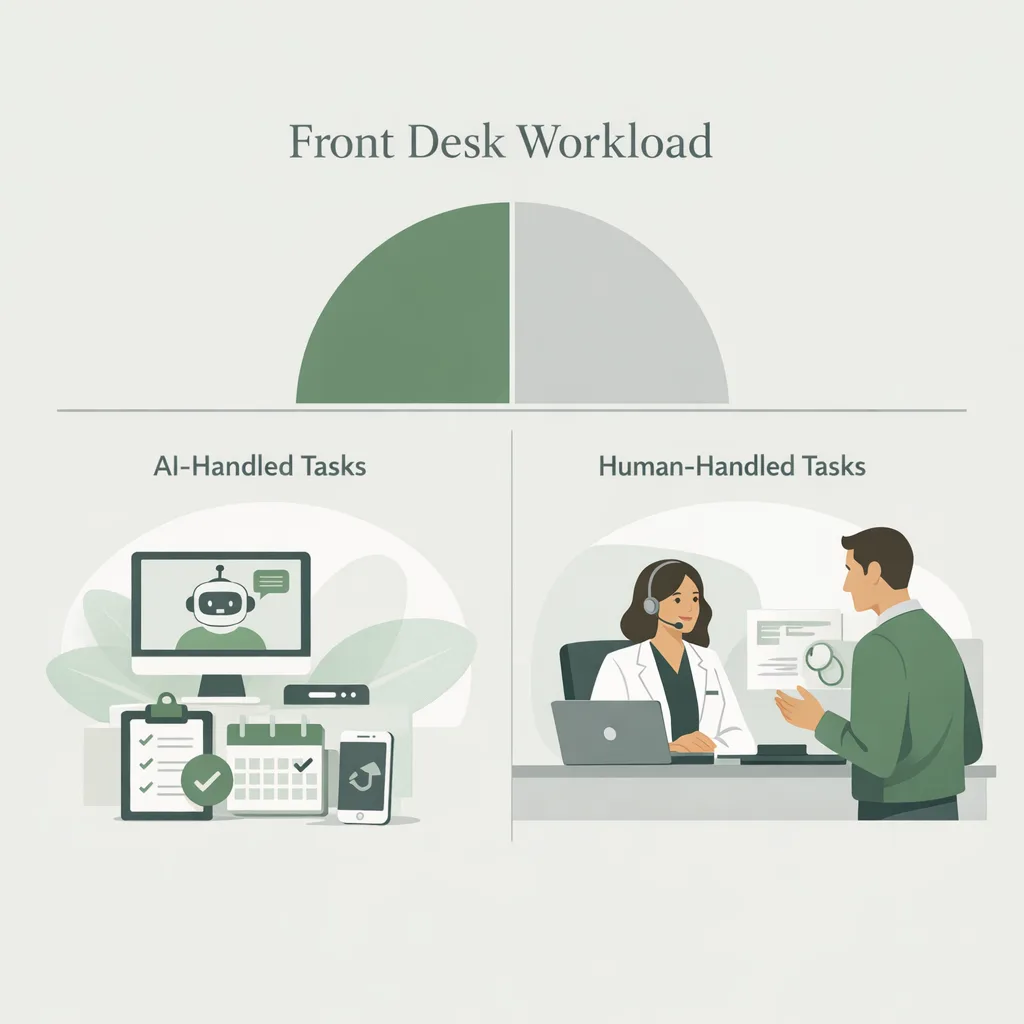
A helpful way to frame scope is: AI handles the repetitive, high-frequency “front door” tasks; humans handle exceptions, empathy-heavy conversations, and clinical nuance. If you’re weighing tradeoffs, see Receptionist vs AI for a practical comparison.
Why AI receptionist implementation matters now (key drivers and data)
Healthcare access is increasingly consumerized. Patients expect fast answers, self-service scheduling, and clear next steps—yet many practices still rely on limited phone coverage and manual workflows.
A few widely cited industry realities:
- Call abandonment rises sharply as hold times increase. Many studies show meaningful drop-off after a few minutes on hold—especially for new patient calls.
- No-shows remain a major revenue drain. Industry estimates commonly place outpatient no-show rates in the 10–30% range depending on specialty and population.
- Staff turnover and burnout are persistent. Front desk teams often juggle phones, walk-ins, eligibility checks, and portal messages simultaneously.
AI in healthcare is gaining adoption because it can standardize the patient experience while reducing operational strain. The best implementations don’t replace staff—they protect staff time and improve consistency.
Step 1: Define success for your practice (before you pick settings)
AI receptionist implementation goes best when you start with outcomes and constraints—not features.
Choose 3–5 measurable goals
Common goals for healthcare practices:
- Increase answered-call rate (especially during peaks)
- Reduce abandoned calls
- Increase new patient appointments booked
- Reduce time-to-schedule (minutes from call start to confirmation)
- Lower no-show rate via better confirmation and reminders
- Reduce staff phone time per day
If you want a quick baseline estimate of upside, use the Practice Growth Calculator to model impact from capturing more calls and bookings.
Identify constraints and risk tolerance
Document what the AI can and cannot do on day one:
- Appointment types allowed (new patient, follow-up, urgent, telehealth)
- Insurance/eligibility messaging (what you can state confidently)
- Clinical boundaries (e.g., “If you have chest pain, call 911”)
- Escalation rules (when to route to staff)
- Hours of operation and after-hours instructions
Step 2: Map your call types and workflows (the “call reason inventory”)
Before configuration, you need a clear picture of what actually hits your phones.
Build a call reason inventory
Pull a week or two of call logs (or ask staff to tally) and categorize:
- Scheduling (new, follow-up, reschedule, cancel)
- Intake/registration questions
- Medication refill requests
- Billing/insurance questions
- Clinical questions (symptoms, test results)
- Directions/hours
- Referral status
Then capture:
- Volume by category
- Peak times (hour/day)
- Average handle time
- Common failure points (hold time, transfers, voicemail)
For specialty-specific playbooks:
- Mental health practices: see Mental Health Intake Calls and Mental Health No-Shows
- Primary care practices: see Primary Care Phone Volume
Decide your “happy path” for each call type
For each top call reason, define the ideal flow:
- Greeting + identity check (lightweight)
- Intent capture (“How can I help?”)
- Eligibility rules (if needed)
- Action (book, route, message, callback)
- Confirmation + next steps
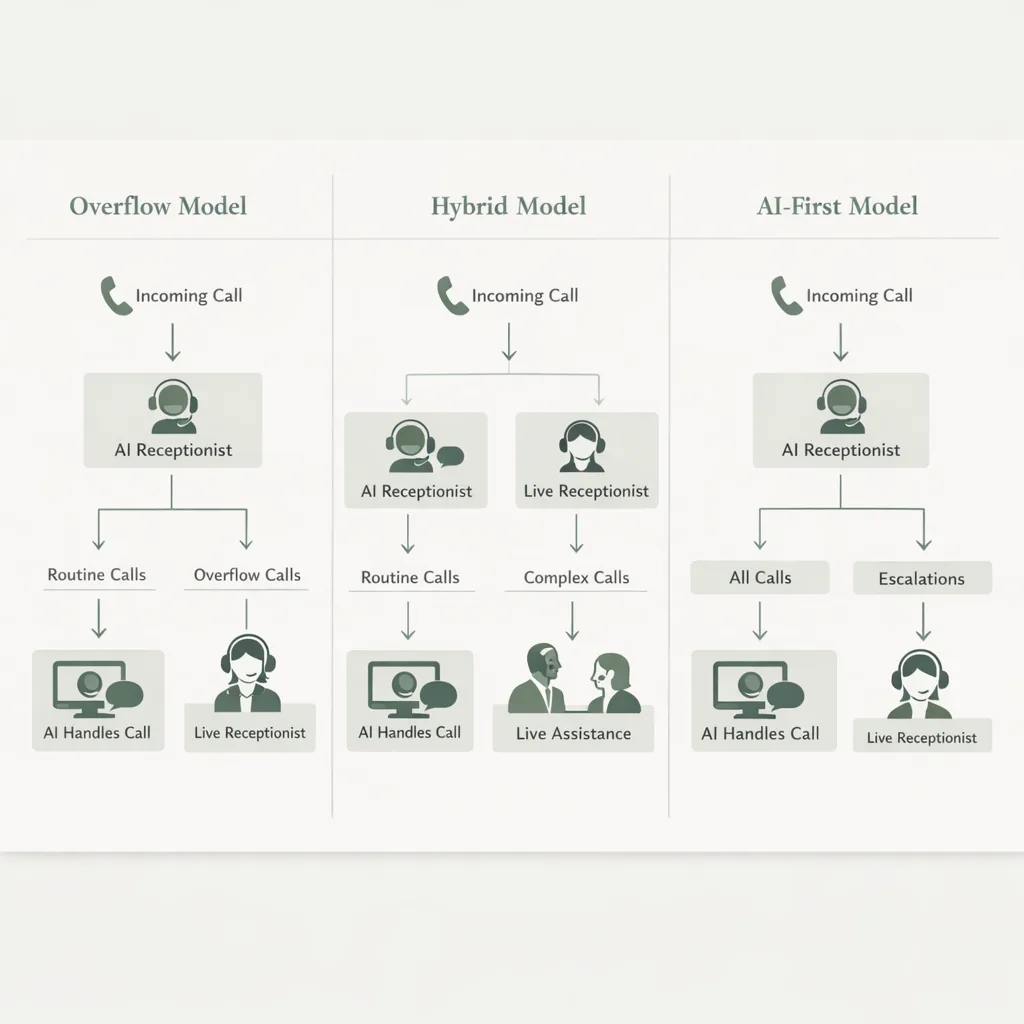
Step 3: Choose the right implementation model (AI-first, hybrid, or overflow)
Not every practice should flip the switch the same way. A strong healthcare AI solution fits your staffing model and patient population.
| Implementation model | Best for | How it works | Pros | Watch-outs |
|---|---|---|---|---|
| Overflow coverage | Practices missing calls during peaks/lunch | AI answers when staff is busy or after X rings | Low risk, fast wins | Less consistent experience if rules differ by channel |
| Hybrid receptionist | Most practices | AI handles common requests; routes exceptions to staff | Balanced, scalable | Requires clear escalation rules |
| AI-first front door | High-volume, multi-location, or staffing constrained | AI answers most calls; staff handles escalations | Maximum coverage, consistent scripting | Needs strong configuration and monitoring early |
If you’re evaluating vendors, it can help to review comparisons like FrontDesk vs Luma Health to understand differences in scheduling, automation depth, and analytics.
Step 4: Prepare your data and systems (the unglamorous part that makes it work)
Implementation succeeds or fails on operational details. Before launch, gather:
Core practice information
- Locations, hours, holiday schedule
- Provider list, specialties, appointment durations
- Appointment types and booking rules
- Insurance plans accepted (and how to phrase limitations)
- Policies: late arrivals, cancellation window, deposits
- FAQs: parking, forms, telehealth instructions
Scheduling rules (write them down)
AI receptionists are only as reliable as the rules they’re given. Define:
- New patient lead time (e.g., “no same-day new patient bookings”)
- Visit type constraints per provider
- Blocked templates (meetings, admin time)
- Overbooking policy (if any)
- Waitlist rules
Decide how you’ll capture patient info
At minimum:
- Full name, DOB (or other identifier)
- Phone number + consent for texts (as applicable)
- Reason for visit (structured options help)
- Insurance carrier (optional on day one)
Step 5: Configure conversation design (scripts, tone, and guardrails)
A great AI receptionist feels natural because it’s designed like a good front-desk workflow.
Use consistent, compliant language
Examples of guardrails:
- Clinical escalation: “If this is an emergency, call 911. If you’re experiencing severe symptoms, please go to the nearest ER.”
- Results requests: “I can help send a message to the clinical team. For urgent concerns, please call the office during business hours.”
- Insurance: “We accept many plans. Coverage varies by carrier and plan. We can verify benefits before your visit.”
Keep it short, then confirm
Best practices for call UX:
- Ask one question at a time
- Confirm critical details (date/time, provider, location)
- Provide clear next steps (forms, arrival time, co-pay expectations if appropriate)
Build “escape hatches”
Patients should always have a path to a human when needed:
- “Talk to staff” option
- Callback request
- Priority routing for urgent categories
Step 6: Plan compliance and privacy (practical checklist)
AI in healthcare raises legitimate privacy and security questions. Your implementation plan should include your internal compliance lead and vendor documentation.
Practical checklist to review:
- Whether calls may include PHI and how it’s handled
- Access controls for call logs and transcripts (role-based access)
- Data retention policies (how long recordings/transcripts are stored)
- Business Associate Agreement (BAA) availability, if applicable
- Patient consent language for texting/recording where required
- Audit trails for changes to workflows and settings
(Always confirm requirements with your legal/compliance team and local regulations.)
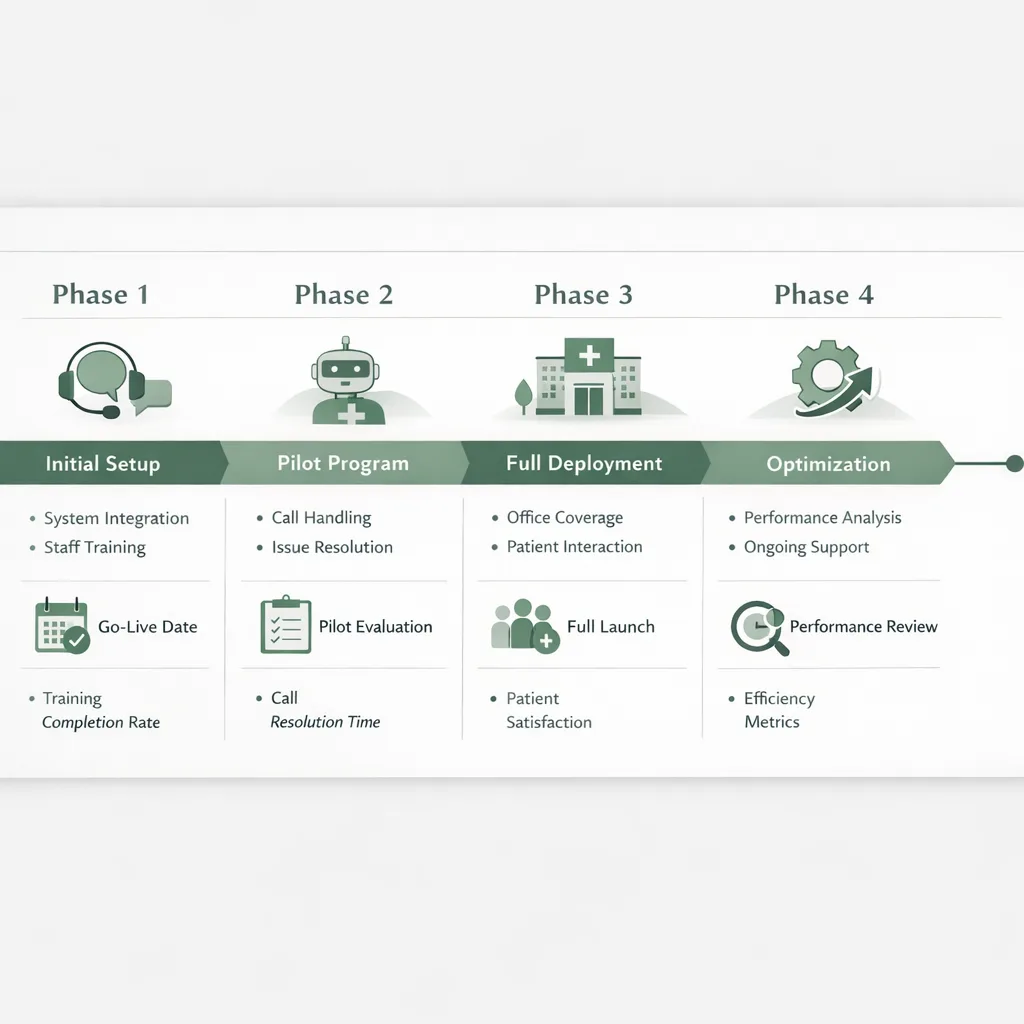
Step 7: Launch in phases (a rollout plan that avoids chaos)
A phased rollout lets you capture quick wins while protecting patient experience.
Phase 1 (Week 1–2): Low-risk call types
Start with:
- Hours/location/directions
- Basic scheduling requests (request-to-book or limited appointment types)
- Callback capture
- Routing to the right department
Phase 2 (Weeks 3–4): Expand scheduling and intake
Add:
- New patient booking rules
- Reschedule/cancel flows
- Intake questions (reason for visit, insurance carrier)
Phase 3 (Month 2+): Optimization and automation
Refine:
- Peak-time routing
- After-hours protocols
- Proactive confirmations and no-show reduction workflows
- More granular appointment types
Step 8: Train staff and set expectations (AI succeeds when people trust it)
Even the best tool fails if staff feel surprised by it.
What to train (30–60 minutes can be enough)
- What the AI will handle vs what staff will handle
- How escalations arrive (warm transfer, message, task queue)
- How to correct issues (flag calls, update scripts)
- How to talk about it with patients (“You can always ask for a person.”)
Update your SOPs
Document:
- Who owns script changes
- Who monitors KPIs weekly
- How exceptions are handled (VIP patients, complex cases)
Step 9: Measure performance with the right KPIs (and act on them)
You can’t improve what you don’t measure. Use analytics to connect call handling to appointments and revenue.
FrontDesk’s Practice Analytics can help practices understand call volume trends, outcomes, and operational bottlenecks.
Core KPI dashboard
Track weekly:
- Total inbound calls
- Answer rate (human + AI)
- Abandon rate
- Average time to resolution
- Appointment conversion rate (calls → booked)
- New patient bookings
- After-hours captured opportunities
Operational KPIs that reveal staffing needs
- Peak hour call load
- Escalation rate (AI → staff)
- Top call reasons by volume
- Repeat callers within 7 days (signals unresolved issues)
Tie metrics to growth
If you capture 10 more new patient appointments per week, what does that mean annually? Pair KPI tracking with the Practice Growth Calculator to keep the business case visible.
Step 10: Use real-world examples to guide your implementation
Case studies can clarify what “good” looks like for your specialty.
- Mental health: Clarity Mental Health Intake shows how improving intake handling can reduce friction for new patients. You can also explore FrontDesk’s Mental Health Solutions for common workflows.
- Primary care: FamilyFirst Primary Care Call Volume highlights how practices manage high call demand and reduce missed opportunities. See Primary Care Solutions for more.
- Urgent care: Fast routing and clear next steps matter most—see Urgent Care Solutions for patterns like symptom-based routing and after-hours guidance.
Common pitfalls (and how to avoid them)
Most AI receptionist implementation issues are predictable.
Pitfall 1: Trying to automate everything on day one
Fix: Start with the top 3–5 call reasons and expand in phases.
Pitfall 2: Unclear scheduling rules
Fix: Write rules down, test edge cases (double-booking, provider-specific constraints), and confirm how exceptions are handled.
Pitfall 3: No owner for ongoing optimization
Fix: Assign an “AI front door” owner (often the office manager) to review KPIs and update scripts weekly for the first month.
Pitfall 4: Poor escalation experience
Fix: Make it easy to reach staff when necessary and ensure transfers include context (caller name, reason, urgency).
Pitfall 5: Measuring activity instead of outcomes
Fix: Track appointment conversion and new patient bookings—not just call counts.
How AI fits into a broader patient experience strategy
AI in healthcare is most powerful when it supports the full journey: discovery → first contact → booking → visit preparation → follow-up.
If you’re also investing in growth, pair an improved phone experience with marketing fundamentals. See 10 Proven Marketing Strategies for Attracting New Patients to Your Practice for patient acquisition ideas, and How AI Can Personalize the Patient Experience in Healthcare for ways automation can feel more human (not less).
Frequently Asked Questions
How long does AI receptionist implementation typically take?
Many practices can launch a basic configuration in days, then refine over 2–6 weeks as they expand call types and scheduling rules. A phased rollout reduces risk and helps staff build confidence.
Will patients be upset if an AI answers the phone?
Most patients care more about getting help quickly than who answers. If the AI is transparent, fast, and provides an easy path to a human, satisfaction is often higher than long holds or voicemail.
Can an AI receptionist schedule appointments directly?
Yes—if you set clear booking rules and connect scheduling workflows appropriately. Many practices start with limited appointment types and expand once they validate accuracy and edge cases.
Is using AI in healthcare compliant with HIPAA?
Compliance depends on how the system handles PHI, access controls, retention, and your vendor agreements. Review your workflows, ensure proper safeguards, and involve your compliance team before go-live.
What’s the best way to measure ROI?
Track incremental appointments booked, reduced abandoned calls, and staff hours saved—then translate those into revenue and cost impact. A simple model using your baseline call volume and conversion rates can show ROI quickly.
Conclusion: Make your phone line a growth channel, not a bottleneck
Implementing an AI receptionist is one of the most direct ways to improve access, reduce missed opportunities, and protect your team’s time. The key is disciplined execution: define success, map workflows, start with low-risk call types, and measure outcomes weekly.
If you’re ready to modernize your front desk with a proven healthcare AI solution, explore FrontDesk’s AI Receptionist and see what a phased rollout could look like for your practice.