Adapting to Telehealth: Essential Tips for Integrating AI Receptionists

Telehealth has moved from “nice to have” to a core access channel for many practices—and that shift changes what the front desk needs to do. When visits happen on video, the phone (and text) becomes the real waiting room: patients call with login issues, last‑minute reschedules, insurance questions, and urgent “Can I be seen today?” requests. The practices that thrive in telehealth are the ones that keep that virtual front door fast, consistent, and always on, which is crucial for improving front desk efficiency.
That’s where AI receptionists can help. By automating routine intake, scheduling, reminders, and triage—while still escalating complex cases to staff—AI can reduce hold times, improve conversion, and protect your team’s bandwidth, ultimately reducing administrative burden. Below are essential, practical tips for integrating technology into your telehealth workflow without disrupting patient experience or compliance.
Why telehealth puts new pressure on the front desk
Telehealth introduces friction points that don’t exist (or don’t matter as much) in-person. Common examples:
- Higher volume of “micro-questions”: link not working, camera permissions, where to upload forms, copay policies.
- Tighter timing expectations: patients expect immediate help right before a virtual visit.
- More reschedules and no-shows: it’s easier to skip a video visit than an in-office appointment.
- After-hours demand: telehealth patients often call evenings/weekends.
Operationally, many practices also juggle multiple systems—EHR, scheduling, telehealth platform, payment tools—making it hard for staff to respond quickly and consistently.
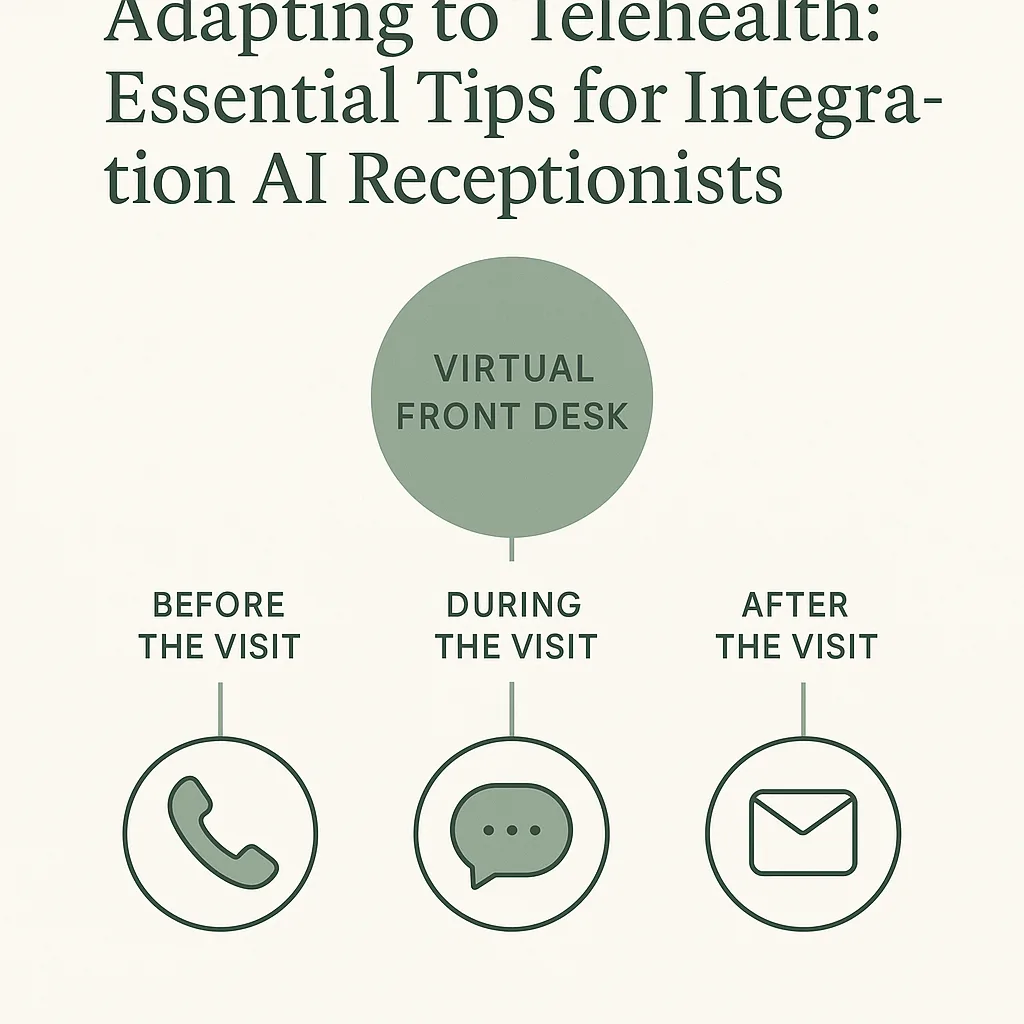
Where AI receptionists fit in a telehealth workflow
An AI receptionist acts as the first line for patient communication—answering calls, capturing information, routing requests, and taking action like booking or rescheduling.
If you’re new to the category, start with FrontDesk’s overview of the product and what it can automate: AI Receptionist. For a deeper breakdown of how AI works in healthcare and HIPAA considerations, see AI Receptionist for Healthcare: What It Is, How It Works, Costs, and HIPAA Basics.
Telehealth use cases that typically deliver the fastest ROI
Focus first on high-frequency, rules-based interactions:
- New patient intake calls (capture demographics, reason for visit, availability, insurance basics)
- Appointment scheduling and rescheduling (including same-day openings)
- Visit preparation (confirm device readiness, send instructions, confirm location/time zone)
- Payment and policy questions (copays, self-pay rates, cancellation policy)
- Routing and escalation (clinical vs admin, urgent vs routine, provider-specific requests)
AI receptionist vs. human staff: what should be automated?
Not every interaction should be fully automated. A good integration plan uses AI for speed and consistency, then escalates to humans for judgment calls.
For a clear framework, review Receptionist vs AI.
Here’s a practical division of labor:
| Task type | Best owner | Why it works in telehealth |
|---|---|---|
| Basic scheduling/rescheduling | AI receptionist | Fast, 24/7 coverage; reduces last-minute gaps |
| Visit instructions + reminders | AI receptionist | Consistent messaging lowers “can’t connect” calls |
| Intake data capture | AI receptionist (with structured handoff) | Standardized info helps clinicians start on time |
| Insurance edge cases, prior auth questions | Human staff | Requires payer nuance and follow-up |
| Clinical triage, symptom assessment | Human/clinical protocols | Higher risk; needs strict escalation pathways |
| Complaint resolution, complex billing disputes | Human staff | Empathy and negotiation matter |
Essential tips for integrating AI receptionists into telehealth
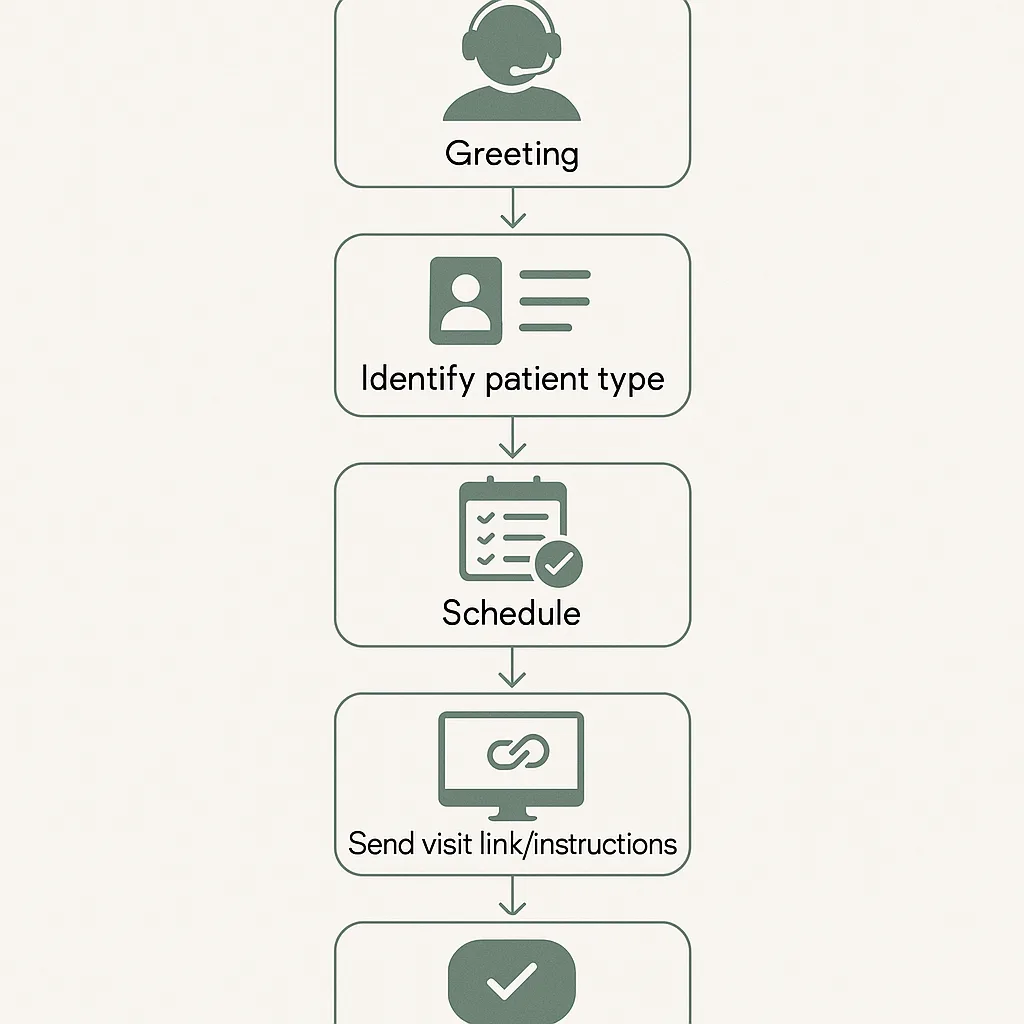
1) Map your telehealth call flows before you deploy
Most “AI didn’t work for us” stories come down to unclear workflows—not the technology.
Create 3–5 core call flows and decide:
- What the AI should collect (required fields)
- What the AI should do (schedule, confirm, route, message)
- When the AI must escalate (keywords, urgency, repeated confusion)
- Where the info should land (EHR note, task, email, dashboard)
Start with these baseline flows:
- New patient → telehealth appointment
- Existing patient → reschedule/cancel
- Day-of-visit tech help
- Billing/policy questions
- Urgent request → clinical routing
2) Standardize your “telehealth readiness” script
A major driver of telehealth delays is avoidable setup issues. Bake readiness checks into your AI receptionist experience:
- Confirm device type (phone/computer/tablet)
- Confirm preferred browser or app requirements
- Confirm camera/mic access basics
- Confirm patient location (important for licensure rules in some specialties)
- Confirm time zone for out-of-area patients
- Send step-by-step instructions and a backup plan (phone call option, if applicable)
Practical tip: Make the AI automatically send a short checklist via SMS/email after booking, then again 1–2 hours before the visit.
3) Use AI to reduce no-shows (telehealth’s quiet revenue leak)
Across healthcare, missed appointments are commonly reported in the single to double digits (often 5–30% depending on specialty and population), and telehealth no-shows can spike when reminders and prep aren’t tight.
To reduce no-shows:
- Confirm appointment intent (yes/no) 24–48 hours prior
- Offer one-tap rescheduling instead of “call us back”
- Ask a simple barrier question: “Do you anticipate any issues joining the visit?”
- Trigger proactive outreach if the patient indicates a barrier
For mental health practices in particular, these playbooks can help:
4) Build a safe escalation path for clinical or urgent calls
Telehealth increases the odds that patients call with symptoms because it feels accessible. Your AI receptionist should have a conservative escalation policy.
Define:
- Red-flag keywords (e.g., chest pain, suicidal thoughts, trouble breathing)
- Urgency tiers (emergency → direct to 911; urgent → warm transfer; routine → message)
- After-hours rules (on-call routing, voicemail with instructions, emergency guidance)
If you serve behavioral health, explore FrontDesk’s industry workflows here: Mental Health Solutions.
5) Integrate scheduling with real operational constraints
Telehealth scheduling isn’t just “pick a time.” You may need to handle:
- Provider-specific telehealth blocks
- State/location constraints
- Appointment types (intake vs follow-up)
- Buffer time (documentation, late arrivals)
- Same-day fill rules
Actionable approach:
- List appointment types and durations
- Define eligibility rules (new vs established, insurance, location)
- Decide what the AI can book directly vs request-and-confirm
- Start with one provider or one appointment type, then expand
6) Protect patient experience with a “human-in-the-loop” design
Patients will accept automation if it’s fast and clear—and if they can reach a person when needed.
Best practices:
- Offer a clear escape hatch: “Say ‘agent’ at any time.”
- Use plain language (avoid internal jargon like “99213” or “intake packet” without explanation)
- Confirm next steps at the end of every interaction:
- appointment time
- visit link delivery method
- any forms required
- cancellation policy
If you’re evaluating staffing models, this guide helps compare coverage and risk across options: Medical Answering Service vs AI Receptionist vs In‑House Staff: Cost, Coverage, and Risk (2026 Guide).
7) Treat compliance as a workflow requirement, not a checkbox
Telehealth increases the surface area for privacy issues: calls in public places, shared devices, forwarded links, and voicemail content.
Operational safeguards to implement:
- Minimize PHI in voicemails/SMS (use neutral language where appropriate)
- Verify identity before sharing sensitive details
- Log consent and communication preferences
- Ensure vendors support HIPAA-aligned handling (BAAs, access controls)
(For a practical primer, revisit: AI Receptionist for Healthcare: What It Is, How It Works, Costs, and HIPAA Basics.)
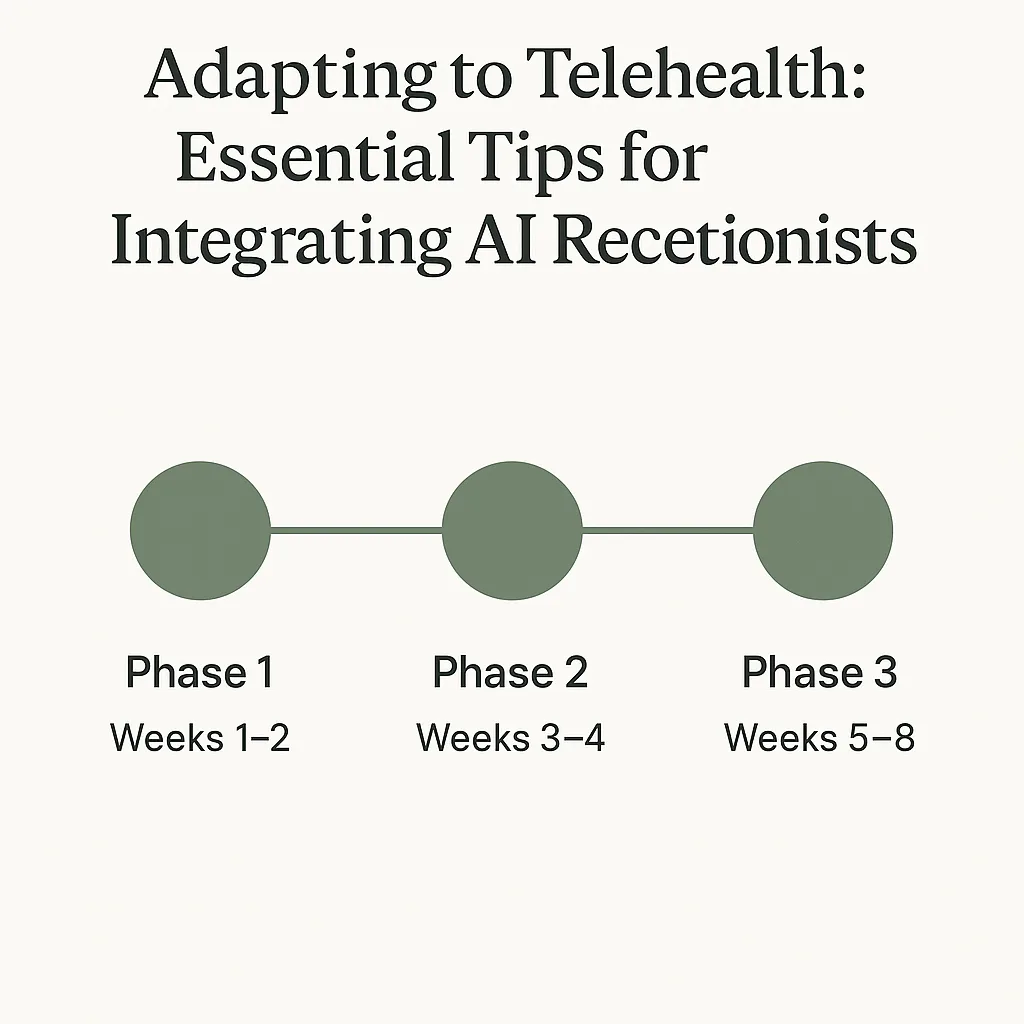
A simple rollout plan (that won’t disrupt your practice)
A phased approach lowers risk and improves adoption.
Phase 1: Start with overflow + after-hours
- Route missed calls to AI
- Handle basic FAQs and request collection
- Escalate urgent calls to on-call pathways
Success metrics: reduced missed calls, faster response time, more captured leads.
Phase 2: Add scheduling + rescheduling
- Enable booking for one visit type
- Add automated confirmations and reminders
- Track fill rate for canceled slots
Success metrics: fewer manual touches per appointment, lower no-show rate.
Phase 3: Add intake + pre-visit readiness
- Collect structured intake info
- Send telehealth readiness checklist
- Flag barriers for staff follow-up
Success metrics: fewer day-of tech calls, improved on-time starts.
What to measure: telehealth KPIs your AI receptionist should move
Don’t rely on “it feels better.” Track a small dashboard weekly:
- Speed to answer (and abandonment rate)
- Call containment (percent resolved without staff)
- Appointment conversion rate (new patient calls → booked)
- No-show rate (telehealth vs in-person)
- Reschedule lead time (how early patients reschedule)
- On-time start rate (proxy: fewer “can’t connect” calls)
- Staff time saved (calls handled, minutes per call)
If you operate in mental health, FrontDesk’s case study shows how a structured intake experience can improve consistency and throughput: Clarity Mental Health Intake.
Choosing the right AI receptionist approach: a quick comparison
Not all “answering” solutions are built for modern telehealth operations. Here’s a scannable view of common options:
| Option | Best for | Limitations in telehealth | Typical outcome |
|---|---|---|---|
| In-house front desk only | High-touch, low volume | Limited after-hours; staffing gaps; burnout risk | Great experience when staffed, inconsistent coverage |
| Traditional answering service | Basic message taking | Often can’t schedule; slower loops; limited automation | Captures messages, but adds delay |
| AI receptionist | 24/7 response + automation | Needs good workflows + escalation rules | Faster access, fewer missed calls, scalable ops |
If you’re comparing vendors, these pages may help frame differences:
Common pitfalls (and how to avoid them)
Pitfall 1: Trying to automate everything on day one
Fix: Launch with 1–2 high-volume flows (rescheduling, FAQs, intake capture) and expand.
Pitfall 2: Letting scripts drift across channels
Telehealth patients bounce between phone, SMS, and email.
Fix: Maintain a single source of truth for:
- visit instructions
- cancellation policy
- payment expectations
- escalation rules
Pitfall 3: Not training staff on the handoff
AI should reduce work—not create “mystery tasks.”
Fix: Define:
- where handoffs appear
- who owns follow-up
- expected response times
Pitfall 4: Ignoring “day-of-visit” spikes
Telehealth problems often cluster 10 minutes before appointment time.
Fix: Add proactive reminders + readiness checks, and route tech issues with priority tagging.
Conclusion: telehealth success starts at the virtual front desk
Telehealth isn’t just a different visit format—it’s a different access model. Patients judge the experience by how quickly they can get answers, book care, and resolve issues when they’re staring at a login screen five minutes before their appointment. With the right workflows, AI receptionists can become a reliable, always-on extension of your team—handling routine calls, reducing no-shows, and freeing staff for the moments that require a human touch.
If you’re planning on integrating technology to support telehealth growth, FrontDesk can help you design call flows, automate scheduling and intake, and keep patient communication consistent. Explore how an AI Receptionist can fit into your practice, then roll it out in phases to see measurable improvements without disrupting care.