Leveraging AI for Effective Patient Communication: Best Practices for Growth
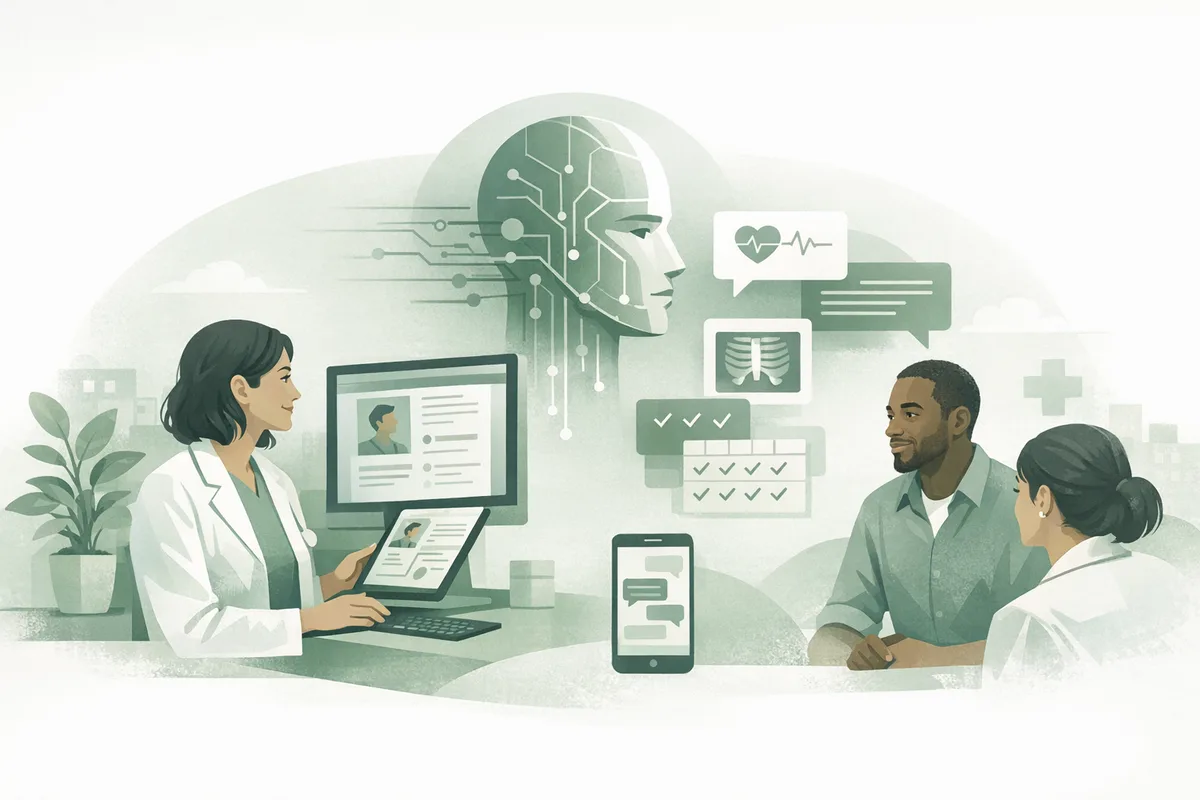
Patient communication is no longer a “nice to have”—it’s a growth lever. Every missed call, slow response, or confusing message creates friction that reduces bookings, increases no-shows, and undermines trust, highlighting the importance of streamlining front desk workflows. The good news: AI can help practices deliver faster, more consistent, and more personalized communication at scale—without burning out your front desk, especially when considering AI in practice management.
In this guide, we’ll cover best practices for AI patient communication that improve patient engagement and support sustainable healthcare marketing strategies—with practical steps you can implement this month.
Why AI patient communication matters for growth
Healthcare consumers increasingly expect the same responsiveness they get from retail and travel. Industry research consistently shows that faster response times improve conversion rates, while poor communication is a leading driver of dissatisfaction and churn. For practice owners and office managers, that translates to three measurable outcomes:
- More appointments booked (especially from new patient inquiries)
- Higher show rates (through reminders and two-way confirmation)
- Better retention and referrals (through proactive follow-up and education)
AI helps by handling high-volume, repetitive interactions—answering common questions, routing requests, collecting intake details, and nudging patients at business texting improves patient communication. the right time—while your team focuses on complex cases and in-person care.
Best practice #1: Design a “response-time promise” across every channel
If your practice answers phones quickly but takes two days to respond to web forms, patients still experience the brand as slow. Start by defining a response-time promise and using AI to enforce it.
Set channel-specific SLAs (and make them visible)
Examples of realistic, competitive targets:
- Phone: answer within 2–3 rings or offer immediate callback
- Web form: respond within 5–15 minutes during business hours
- SMS: respond within 5 minutes for scheduling/confirmations
- After-hours: acknowledge instantly, schedule next-step follow-up
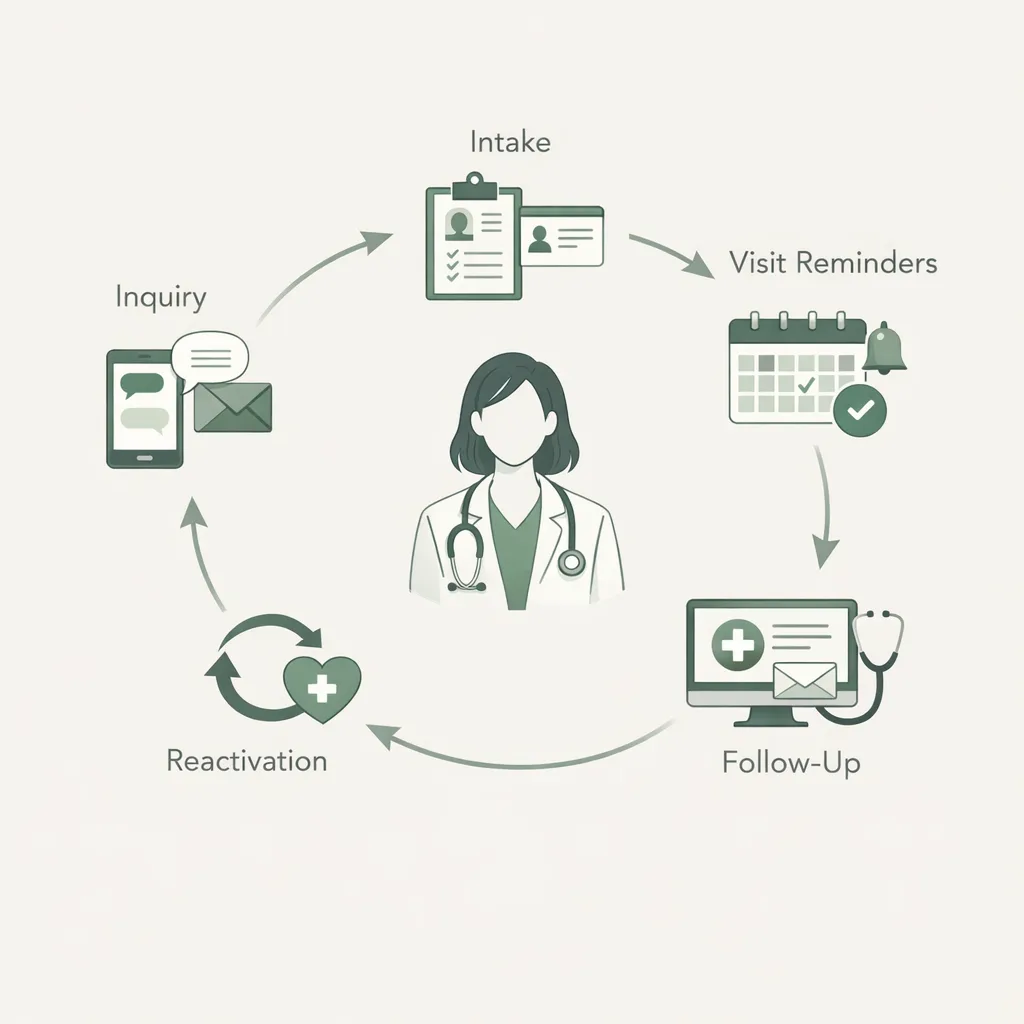
AI reception and outreach workflows can ensure every inquiry gets an immediate acknowledgement and an actionable next step—especially for high-intent “new patient” requests.
Build a “never miss a lead” intake path
New patient calls and messages are revenue-critical. Tighten your conversion flow by pairing AI with a clear intake process:
- Capture: name, phone, email, reason for visit, preferred times
- Qualify: insurance basics (if applicable), location/provider preferences
- Convert: offer appointment slots or schedule a callback
- Confirm: send a confirmation + what to expect
FrontDesk’s New Patient Intake workflows are designed to reduce friction at the first touch—when patients are most likely to shop around.
For call-specific improvements, align your scripts and training with New Patient Calls That Convert and keep a consistent structure using the New Patient Call Script.
Best practice #2: Use AI to personalize—without getting creepy
Personalization boosts engagement, but healthcare requires extra care. The goal is to be helpful and relevant while respecting patient boundaries.
Personalize based on “care context,” not sensitive details
Safe, high-impact personalization includes:
- Preferred name and preferred channel (SMS vs. email)
- Appointment type (evaluation, follow-up, annual visit)
- Timing cues (pre-visit instructions, post-visit check-ins)
- Office location and provider name
Avoid including diagnoses or sensitive details in messages unless you have explicit consent and a compliant workflow.
Segment outreach by patient intent
One-size-fits-all reminders underperform. Build segments like:
- New patient inquiries not yet scheduled
- Upcoming appointments (48 hours, 24 hours, 2 hours)
- Lapsed patients (no visit in 6–12 months)
- Patients who started intake but didn’t finish
With FrontDesk Patient CRM, you can organize conversations and follow-ups so patients don’t fall through the cracks—and your team doesn’t rely on sticky notes.
Best practice #3: Automate the moments that drive show rate and satisfaction
Practices often use automation for reminders, but the biggest gains come from automating the “in-between” moments: confirmations, reschedules, prep instructions, and post-visit follow-up.
Build a two-way confirmation and reschedule loop
Instead of sending reminders that patients can’t act on, enable two-way interactions:
- “Reply 1 to confirm, 2 to reschedule.”
- If reschedule: offer next available times or route to staff.
- If no response: escalate with a second reminder or a call.
This reduces no-shows and saves staff time spent on manual outbound calls.
Standardize pre-visit instructions and intake completion
Incomplete intake creates delays, longer waits, and frustrated patients. Combine automated prompts with clear forms.
- Send intake links immediately after booking
- Remind patients 48 hours before the visit if forms aren’t complete
- Provide a short “what to bring” checklist
Use Patient Intake Forms to standardize what you collect, and reference your existing workflow improvements from Streamlining Patient Intake: Best Practices for Healthcare Practices.
Best practice #4: Make compliance a feature, not an afterthought
AI can improve speed, but healthcare communication must protect privacy and align with regulations and your internal policies.
Create a HIPAA-safe communication playbook
At minimum, define:
- Which channels you use for which message types
- What content is prohibited in SMS/email
- Consent and opt-out language
- Escalation rules for clinical questions
- Retention and access policies for message logs
Start with the HIPAA Communication Checklist and adapt it to your practice.
Route clinical questions safely
AI should not practice medicine. A safe approach is:
- AI handles administrative tasks (scheduling, hours, directions, pricing ranges)
- Clinical questions are triaged and routed to staff with clear disclaimers
- Emergencies are redirected to appropriate urgent care/emergency instructions
Best practice #5: Use AI outreach to support marketing—without sounding like marketing
The best healthcare marketing strategies feel like service: timely, helpful, and relevant. AI-driven outreach can increase reactivation and retention when it’s patient-centered.
Focus outreach on value and timing
High-performing outreach themes include:
- “You’re due” reminders (annual visits, re-evals, routine follow-ups)
- Post-visit check-ins (“How are you feeling after your visit?”)
- Education tied to a visit type (“How to prepare for your first PT session”)
- Waitlist fill-ins (“Earlier appointment available—want it?”)
FrontDesk Patient Outreach helps automate these touchpoints while keeping messaging consistent with your brand voice.
Use retention plays that compound revenue
Retention is often cheaper than acquisition. If you operate in rehab or recurring-care models, build a structured retention plan using Physical Therapy Patient Retention as a framework.
Best practice #6: Measure what matters (and tie it to revenue)
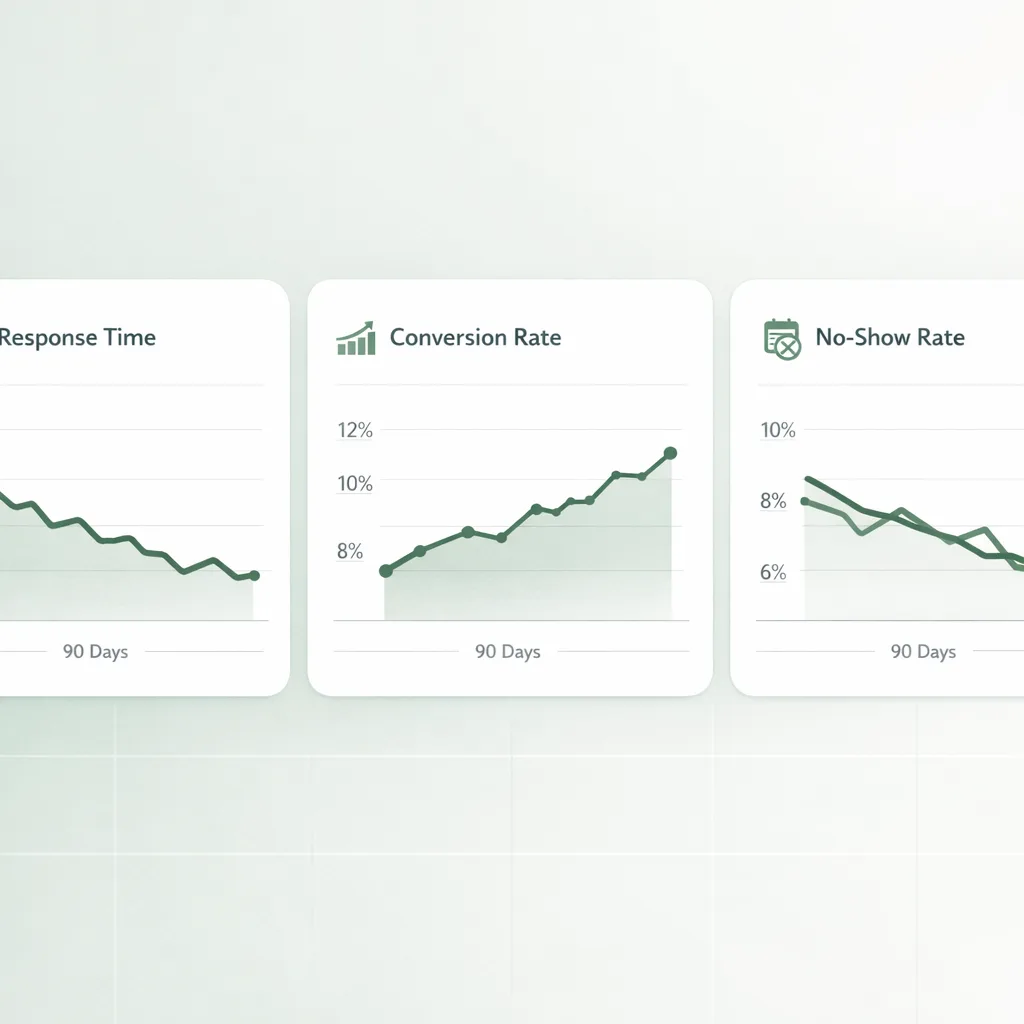
AI patient communication should be evaluated like any growth initiative: by conversion, retention, and operational efficiency—not just “messages sent.”
Track a simple communication scorecard
Below is a practical set of metrics to review monthly.
| Goal | Metric | Target benchmark (typical) | Why it matters |
|---|---|---|---|
| Convert more leads | New patient inquiry-to-appointment rate | 50–80% (varies by specialty) | Directly impacts growth |
| Reduce missed revenue | Missed call rate | <5–10% | Missed calls often equal missed appointments |
| Improve access | Median response time (SMS/web) | <5–15 minutes | Speed increases conversion |
| Reduce no-shows | No-show rate | <5–10% | Protects clinician utilization |
| Improve experience | Patient satisfaction/NPS | Upward trend | Drives reviews and referrals |
To quantify upside, use the Practice Growth Calculator and the Patient Lifetime Value Calculator. Even small changes—like reducing no-shows by 2% or improving conversion by 10%—can create meaningful monthly revenue gains.
Close the loop with patient feedback
Don’t guess whether your communication is working—ask. Make it easy for patients to share feedback right after key moments (first visit, discharge, resolved issue).
- Use a short survey (3–5 questions)
- Trigger it automatically after appointments
- Review comments weekly and tag themes
You can start with the Patient Satisfaction Survey or the Patient Satisfaction Survey template, depending on whether you want a tool or a customizable form.
To connect insights to operations and outcomes, pair survey results with FrontDesk Practice Analytics so you can see how communication changes impact bookings, response time, and retention.
Best practice #7: Implement AI in phases (so your team actually adopts it)
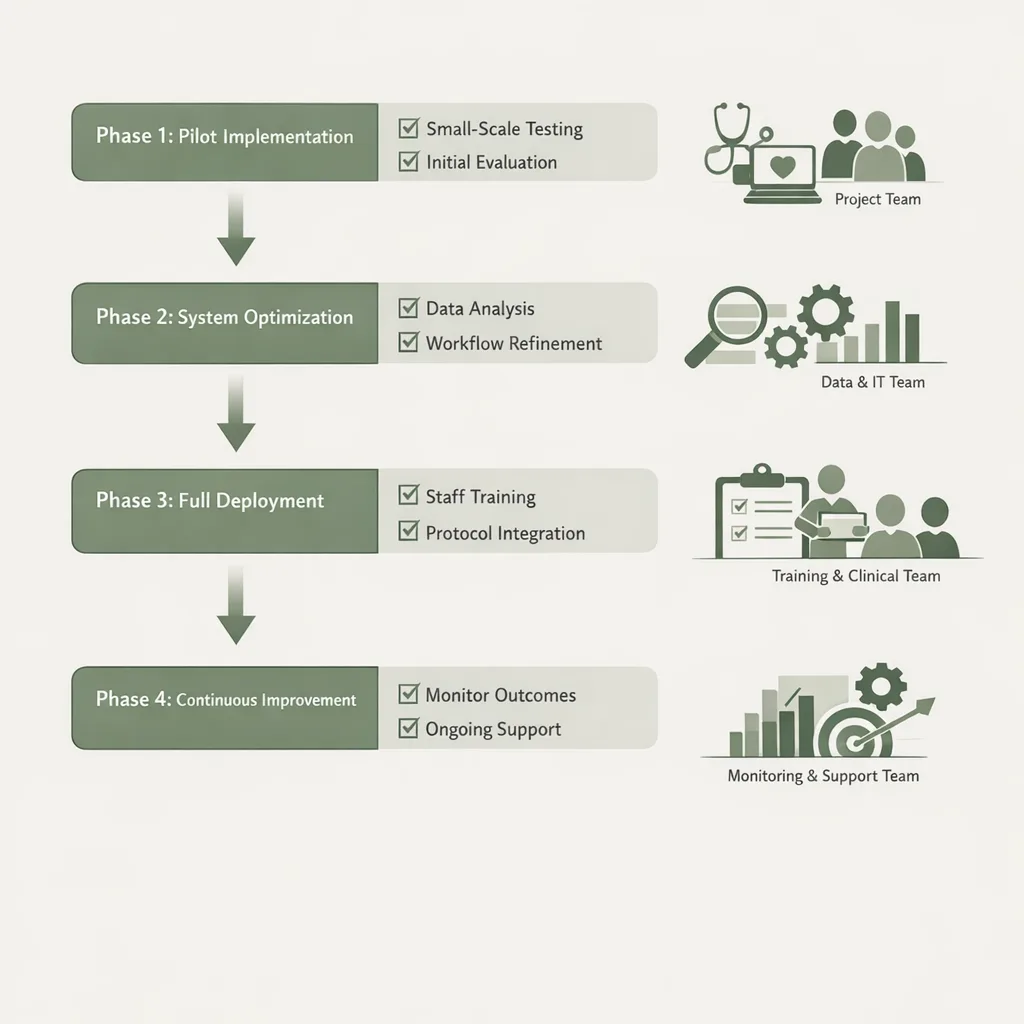
AI succeeds when it reduces workload and ambiguity for staff. Roll it out in phases with clear ownership.
Phase 1 (Week 1–2): Stabilize the front door
- Automate responses to missed calls and web inquiries
- Standardize new patient scripts and FAQs
- Set escalation rules (billing, clinical, urgent)
Phase 2 (Week 3–6): Reduce no-shows and intake friction
- Two-way confirmations and rescheduling
- Intake reminders and pre-visit instructions
- Post-visit follow-ups for satisfaction and next steps
Phase 3 (Ongoing): Growth plays
- Reactivation campaigns for lapsed patients
- Waitlist optimization
- Review generation (when appropriate) and referral prompts
Common pitfalls to avoid
Even strong tools fail with weak strategy. Watch for these issues:
- Over-automation: If every message feels robotic, patients disengage.
- No escalation path: Patients get stuck when requests are complex.
- Inconsistent tone: Different staff and systems sound like different brands.
- Measuring vanity metrics: “Messages sent” doesn’t equal growth.
- Ignoring staff workflow: If AI adds steps, adoption drops.
A simple fix: document your top 20 patient questions, your preferred answers, and which ones require staff intervention. Then align AI workflows to that map.
Frequently Asked Questions
Is AI patient communication HIPAA compliant?
AI can be used in HIPAA-aligned workflows, but compliance depends on your setup, policies, and vendors. Use clear rules for what can be sent via SMS/email, collect consent where needed, and maintain proper access controls. Start with the HIPAA Communication Checklist to formalize your approach.
Will AI replace my front desk staff?
In most practices, AI works best as a force multiplier—not a replacement. It handles repetitive tasks like FAQs, reminders, and intake nudges, freeing staff to focus on complex scheduling, insurance issues, and high-touch patient needs. Practices often see improved morale when call pressure drops.
What’s the fastest way to increase patient engagement with AI?
Start with speed and convenience: instant responses to inquiries, two-way appointment confirmations, and easy rescheduling. These changes reduce friction immediately and typically improve show rates and patient satisfaction within weeks.
How do I measure ROI from AI communication?
Tie metrics to revenue: inquiry-to-appointment conversion, no-show rate, and retention/reactivation. Use the Practice Growth Calculator and Patient Lifetime Value Calculator to estimate impact from incremental improvements.
What should my practice automate first?
Automate your highest-volume, highest-impact touchpoints: new patient inquiries, appointment confirmations, reminders, and intake completion prompts. Then expand into reactivation and post-visit follow-ups once the “front door” is stable.
Conclusion: Treat communication like a growth system
Effective patient communication is one of the most controllable drivers of growth. By setting response-time standards, personalizing responsibly, automating key moments, and measuring outcomes, you can improve access and satisfaction while increasing bookings.
If you want to operationalize these best practices quickly, FrontDesk can help you unify outreach, conversations, and analytics in one AI-powered workflow—so your team spends less time chasing patients and more time caring for them.